Planner
A route planner that builds the month, not just tomorrow.
One run takes an office, a date range and everything your operation has promised, and returns a finished route book: who drives where, in what order, at what cost.
Planning sessions
Pick an office and a range. That is the whole input.
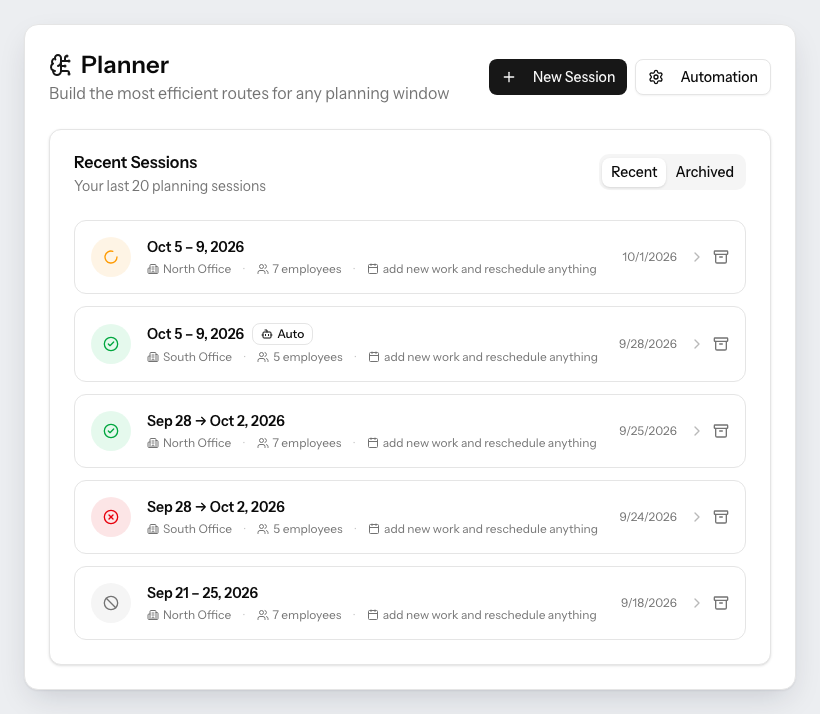
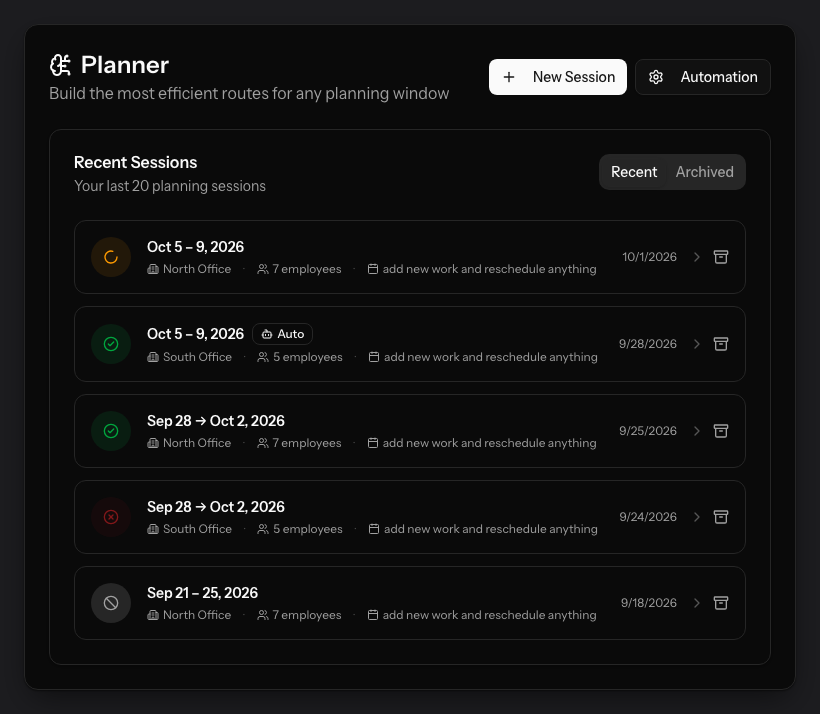
Quick fill gives you tomorrow, next week or next month; type anything else you need. The run works in the background and emails you when the plan is ready — a month of 4,000 appointments takes thirty to forty minutes, and nothing in your schedule changes until you adopt it.
- Every run is a session you can reopen, compare or delete
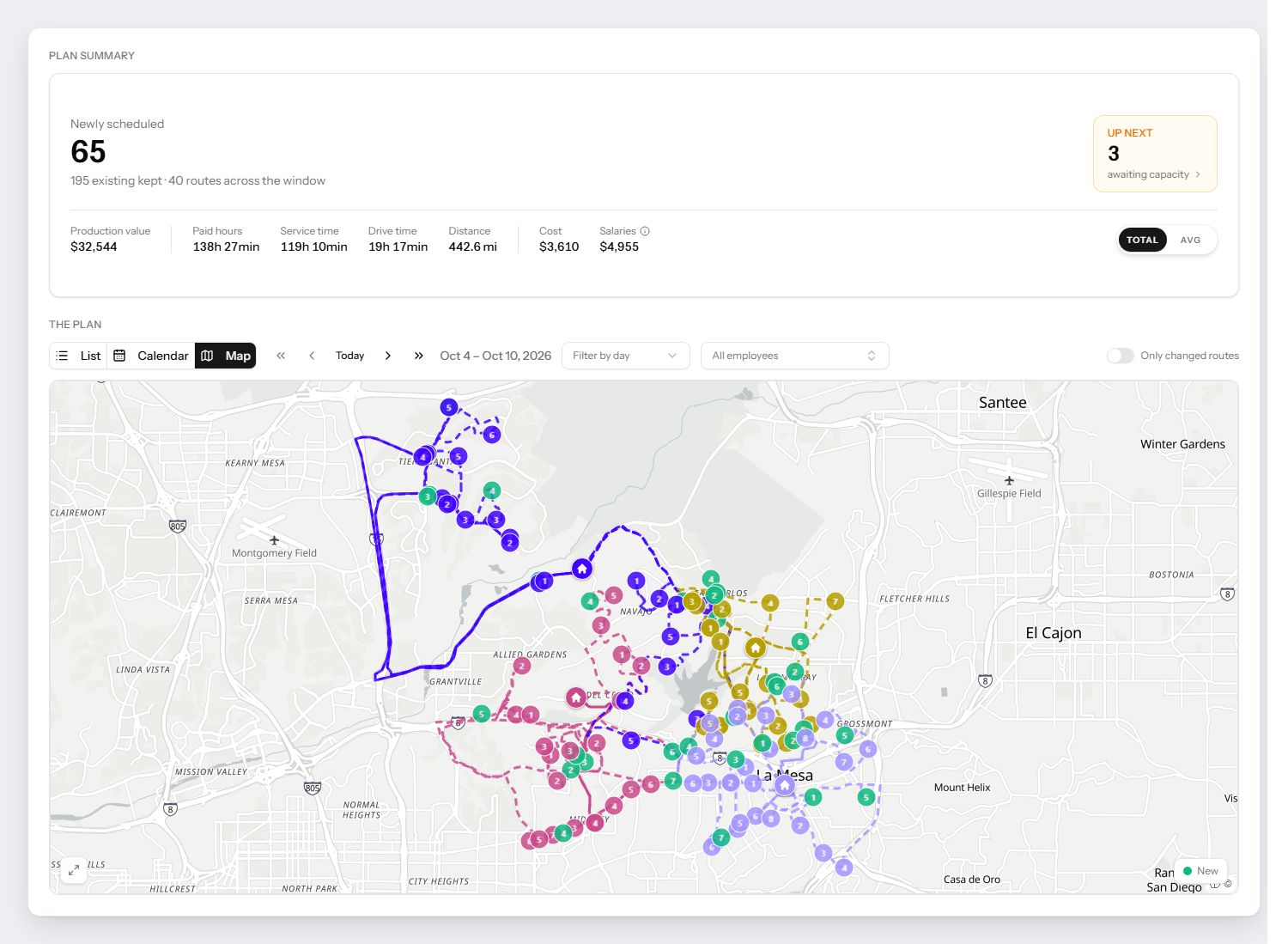
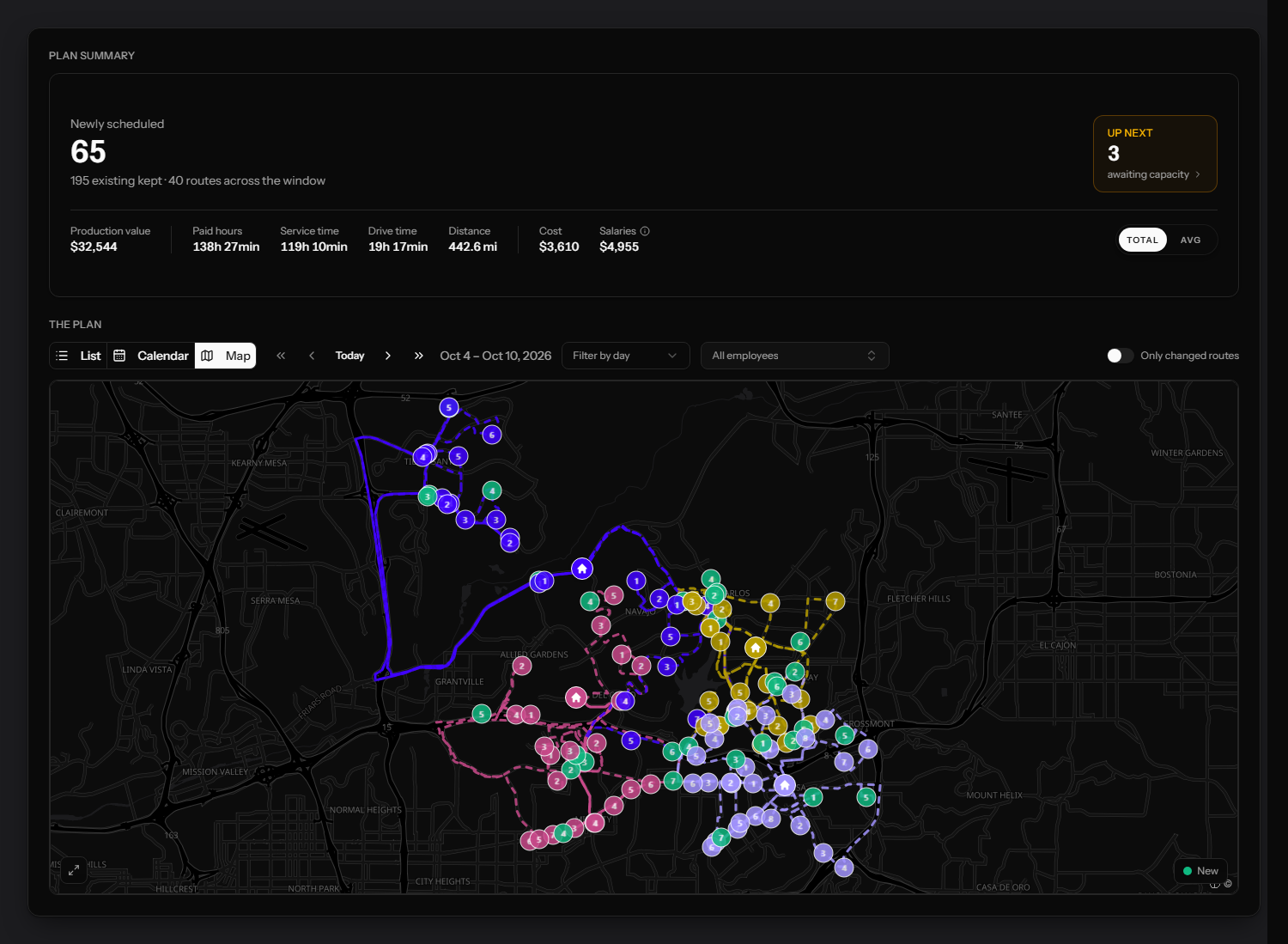
- A ready plan reads as a list, a calendar and a map
- The plan summary names what was added and what was kept
- Adopting replaces the routes in that range — or you walk away
What may move
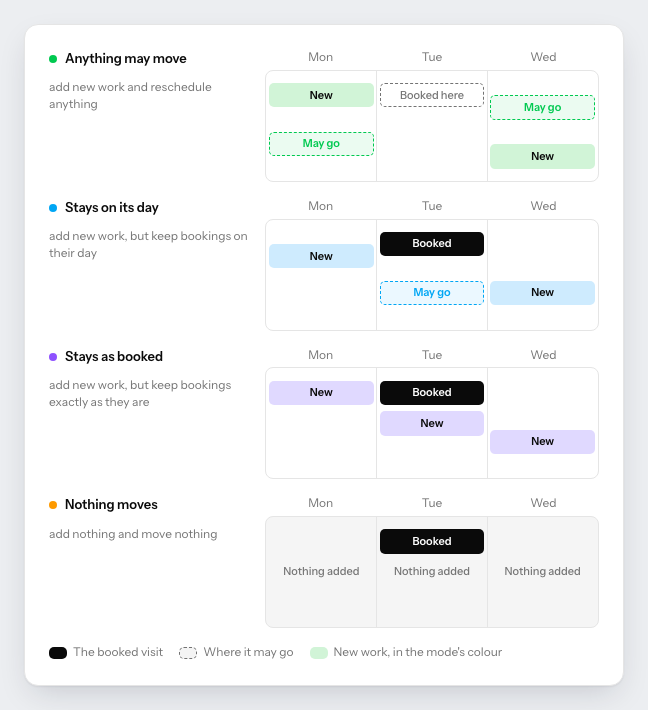
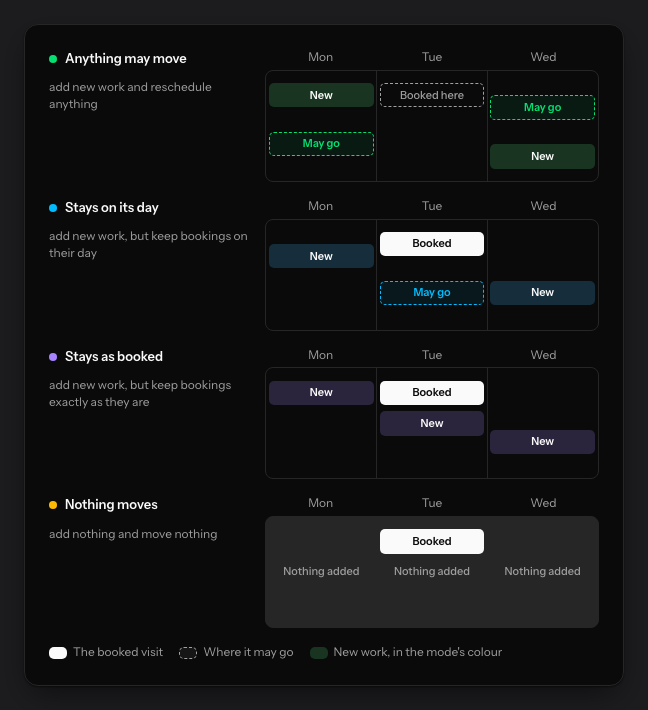
Four modes decide what the planner is allowed to touch.
Every day inside the horizon sits in one of four modes, from “anything may move” down to “nothing moves”. You set them as exceptions by how far out a day is — so the next two or three days freeze themselves, permanently, without anyone remembering to freeze them.
- Anything may move · stays on its day · stays as booked · nothing moves
- Exceptions by days out, so they never go stale
- The organization sets a default, an office overrides it, a session overrides again
- A visit your office locked is never moved under any mode
Who may go
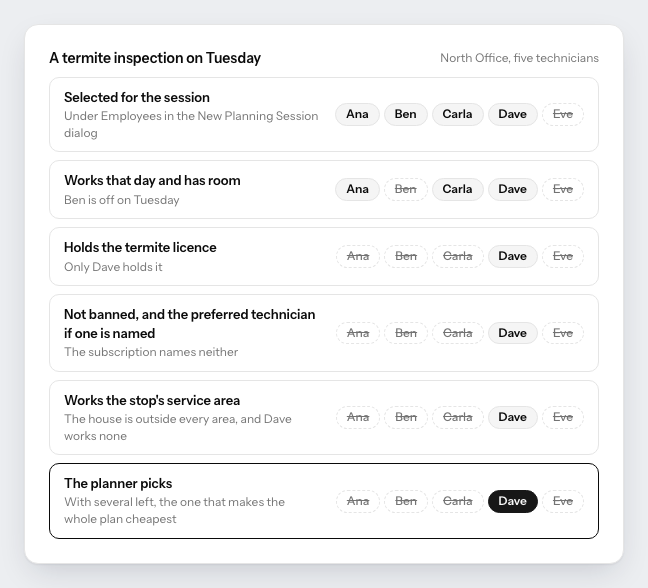
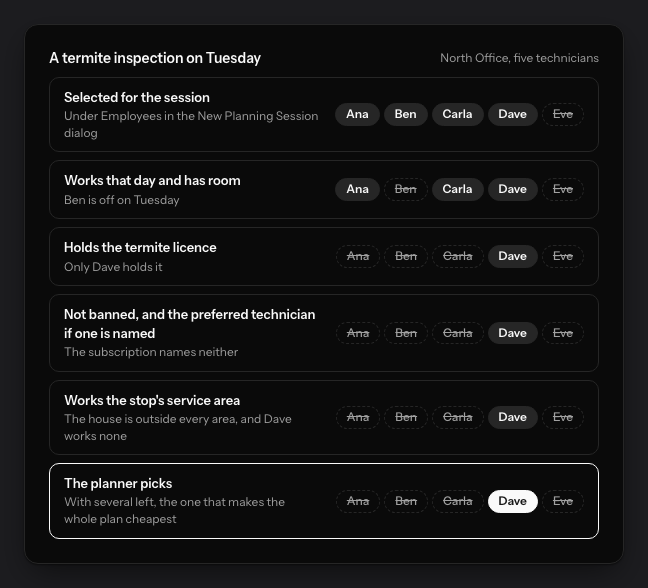
Skills are a hard rule, not a filter applied afterwards.
The planner cannot break these while it builds. A technician without the termite licence is never offered termite work, a banned technician is never sent back to the customer who banned them, and a preferred technician keeps their customers.
- Required skills and licences, scoped to a region where yours are
- Preferred technicians, and the ones a customer banned
- Preferred weekdays and the arrival window a customer was promised
- Service areas, with a deliberate overlap where you draw one
Planner automation
Set the cadence once and stop scheduling the scheduling.
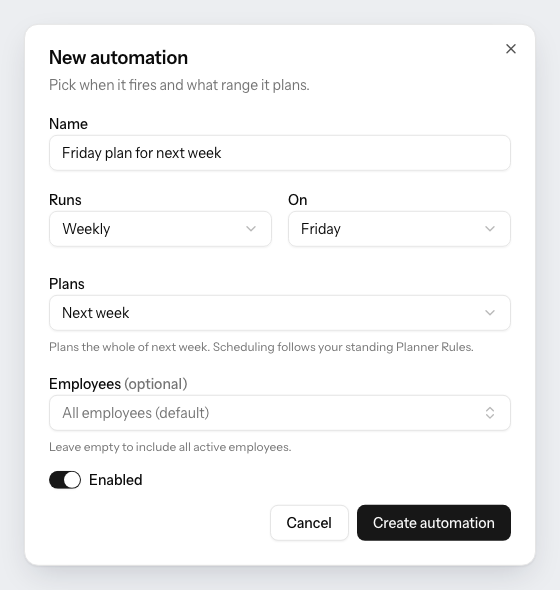
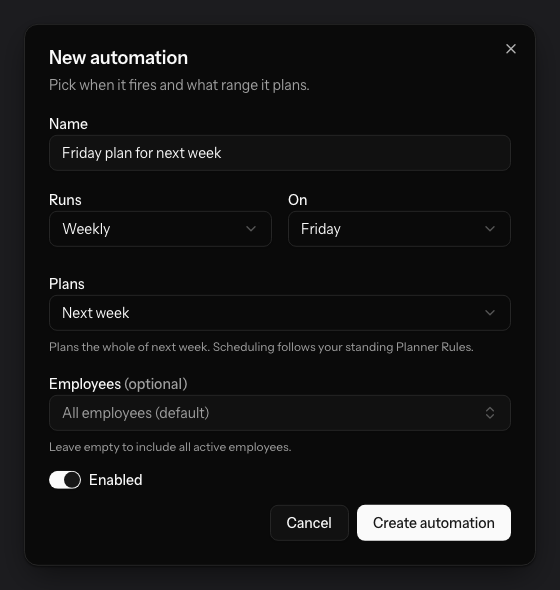
An automation starts the session for you — twice daily at the most, monthly at the least — and leaves a finished plan waiting. It builds; it never adopts. The moment anything reaches a technician is still a person clicking a button.
- Twice daily, daily, every 2 or 5 days, weekly or monthly
- Plans the next day, the next week or the next month
- All active technicians, or only the ones you name
- Email when the run ends; the plan waits for you
When it does not fit
A stop with no slot gets a page, not a red badge.
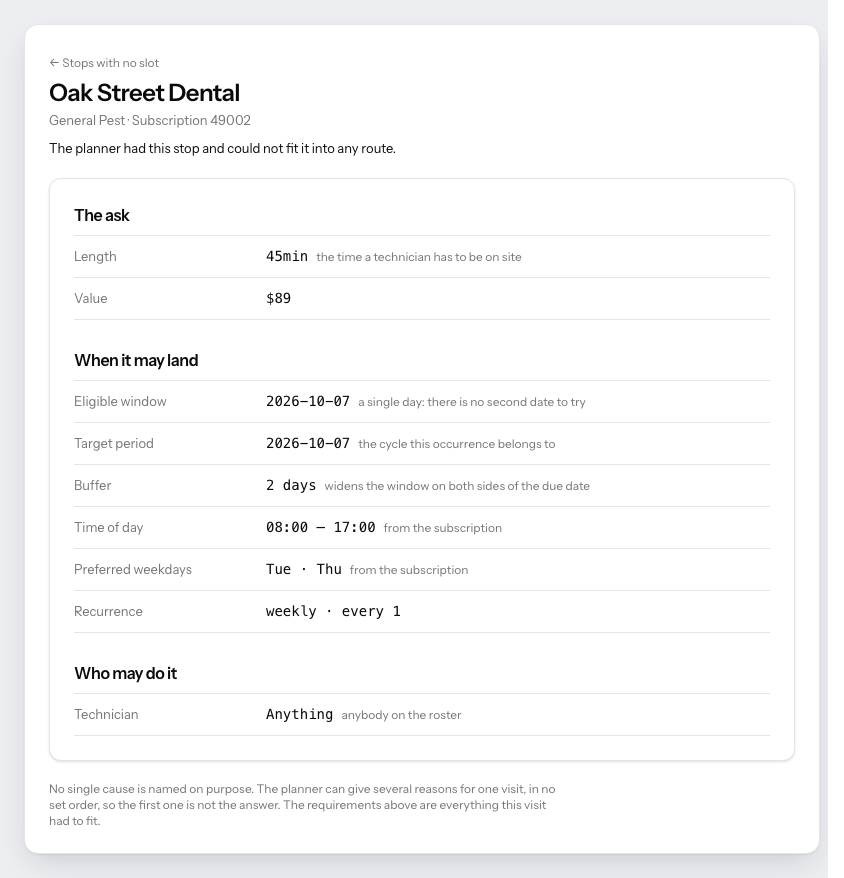
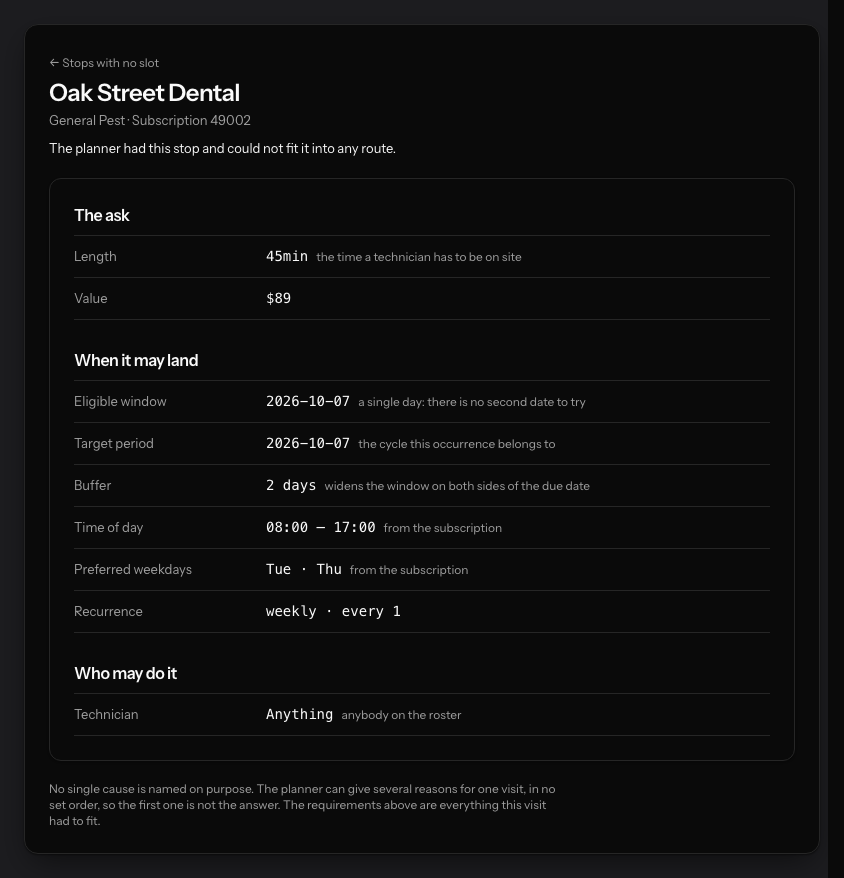
Two lists: the stops the planner had and could not fit, and the stops that never reached it because their own data stopped them. Each one shows what it asked for and who was allowed to take it, so the fix is a decision rather than a support ticket.
- What it asked for — length, value, the window it could land in
- Its buffer, preferred weekdays and recurrence
- Which technicians were eligible at all
- No ranked guess at the cause, because there is never only one
Before you ask
- How far ahead can the route planner schedule?
- Planning horizons are 30, 60 or 90 days depending on your plan, and one session can cover any range inside that. Looking further out is a different tool: simulations model 6 or 12 months ahead and answer staffing questions rather than producing the schedule your technicians run.
- Does it reschedule appointments we already promised?
- Only if you let it. Every day in the horizon carries one of four modes, set as exceptions by how far out the day is, and the strictest two keep a booked visit exactly where your office put it. A visit locked in FieldRoutes is never moved under any mode.
- Can it run without anyone starting it?
- Yes. An automation starts a planning session on a cadence from twice daily to monthly and emails everyone who may adopt. It stops at the finished plan — adopting it, and then confirming the write-back batch that reaches FieldRoutes, are two separate human decisions.
- What happens to a stop it cannot place?
- It is listed, never forced. The stop keeps its own page showing the length and value it asked for, the window it could have landed in, its buffer and preferred weekdays, and which technicians were eligible — so you can widen a window, fix a skill or accept it.
See it run on your own month.
30-minute intro call. We connect to FieldRoutes read-only, rebuild a real month of your routes against the goal you name, and walk you through the result. Nothing is written back.
You will have seen your own numbers before anyone asks you for anything.
From the blog
Latest Operations Strategy articles from the PestRouting blog
Hands-on guides, case studies, and operational deep dives in Operations Strategy.

Why Pest Control Operations Break When Every Exception Becomes Normal
Every operations team starts with rules. The ones that scale stay rule-led. The ones that don't end up running their business on exceptions.
Read articleWhy Route Optimization Alone Does Not Fix Bad Operations
An optimize button cannot fix the things that actually make routes bad. Here is the operations layer underneath that has to be repaired first.
Read articleThe Operations KPIs Pest Control Owners Should Actually Track
Most pest control dashboards track activity, not operations. These eight KPIs separate well-run companies from busy ones — drive time, variance, density, leakage.
Read articleGet Your Free Route Audit
A 30-minute intro call, a written report on what your routes are leaving on the table, and zero pressure to sign anything. We only follow up if you ask.
Book Your Free Analysis
Free analysis with no obligation
We'll analyze your current routes and show you the savings potential.
First call within 24–48 hours
Full analysis and written report typically ready within about a week.
Dedicated Route Success Manager
A routing specialist works your operation — not a ticket queue.
Risk-Free Opportunity
See exactly how much you could save before spending a dime.