Your FieldRoutes data already knows where the next 15 to 40% is.
Fixing routes by hand eats your week. PestRouting is route optimization software built for FieldRoutes: it plans a whole month in minutes, and plans it smarter.
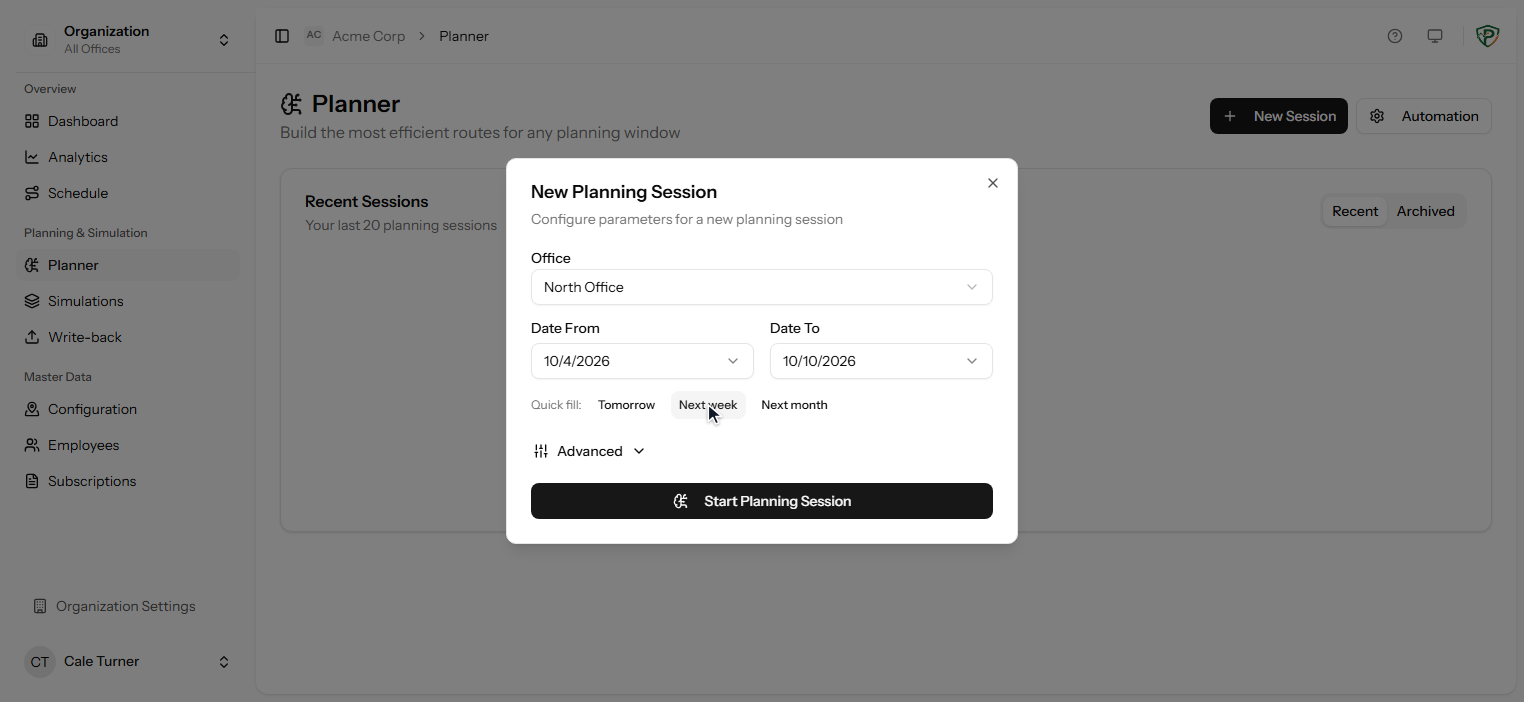
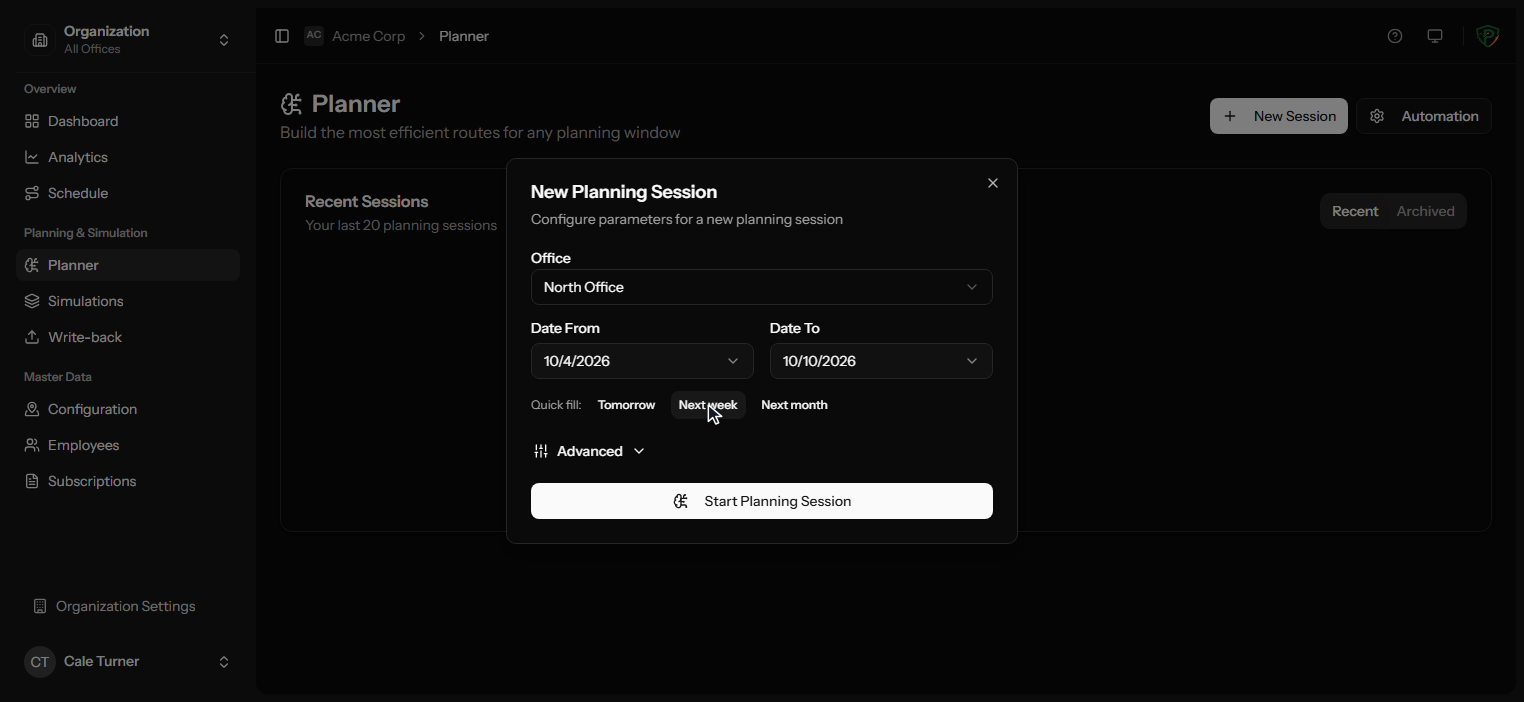
The audit reads your FieldRoutes data. It never writes to it. How we handle your data
Constraint-aware route optimization
Your rules go in. A finished month of routes comes out.
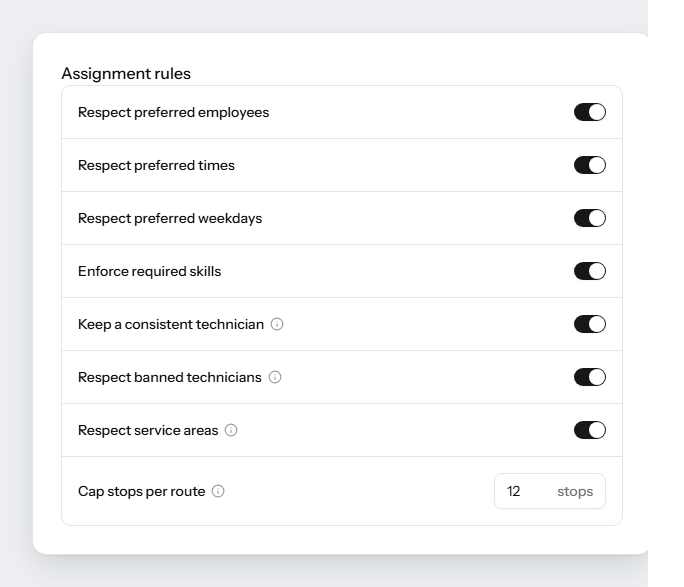
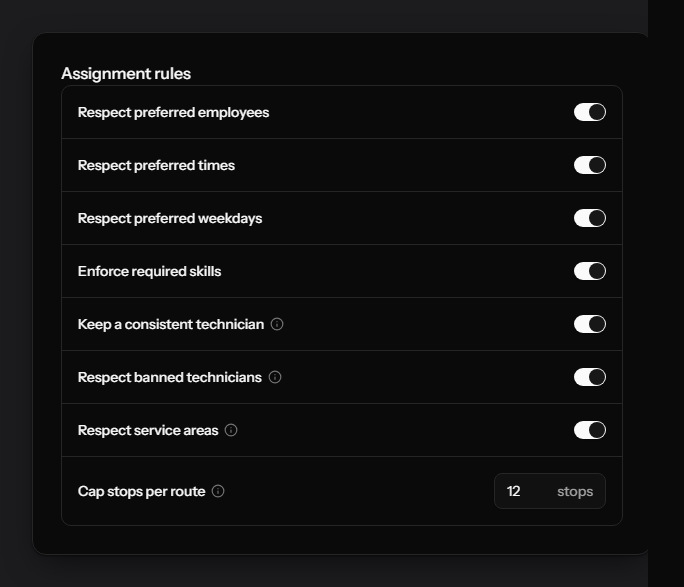
Everything you hold in your head while you schedule, the planner holds while it solves. Route optimization that ignores one of them is not useful to a pest control operation, so these are not preferences it tries to honour. They are conditions a plan has to meet.
About as long as a coffee
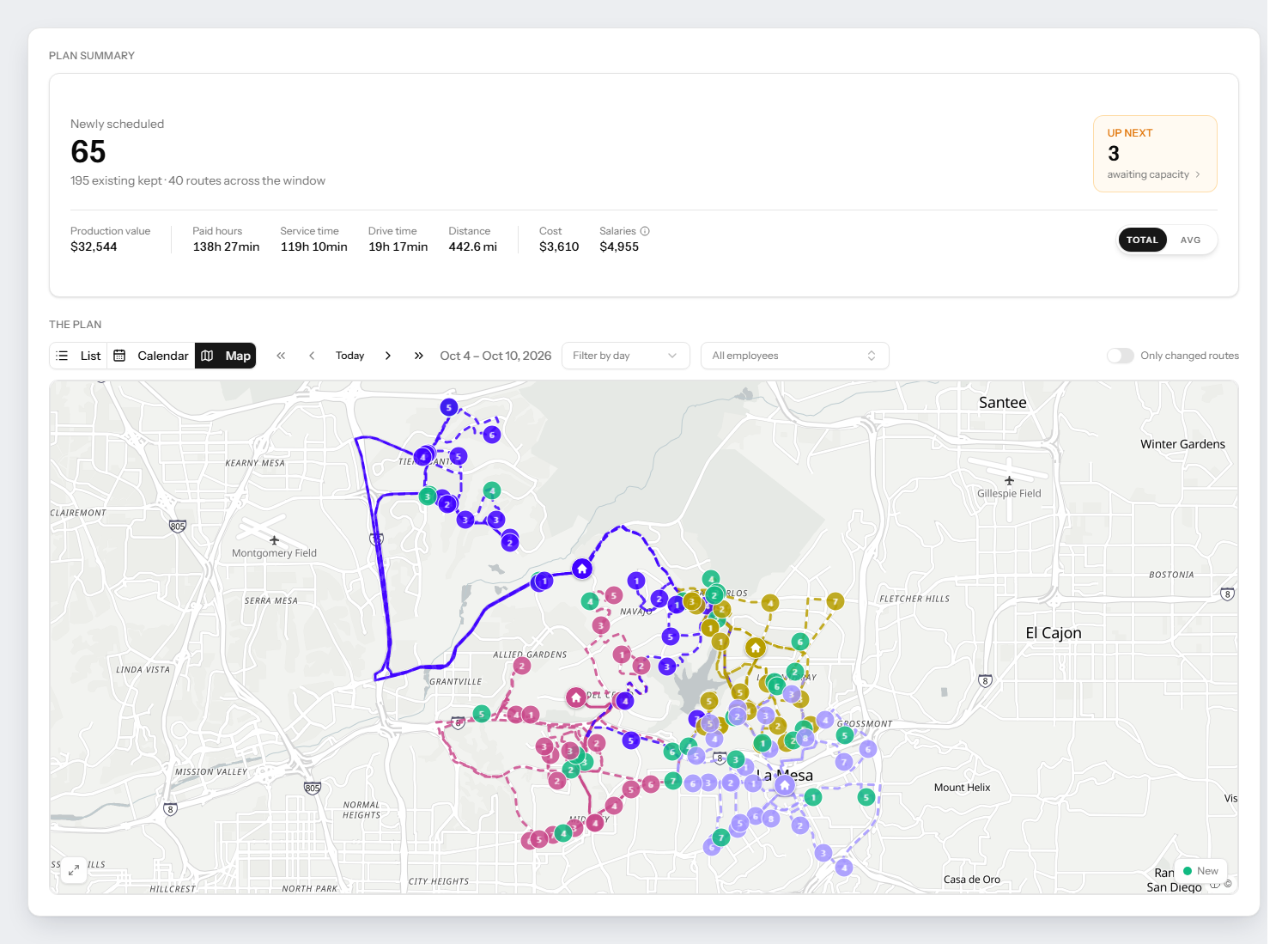
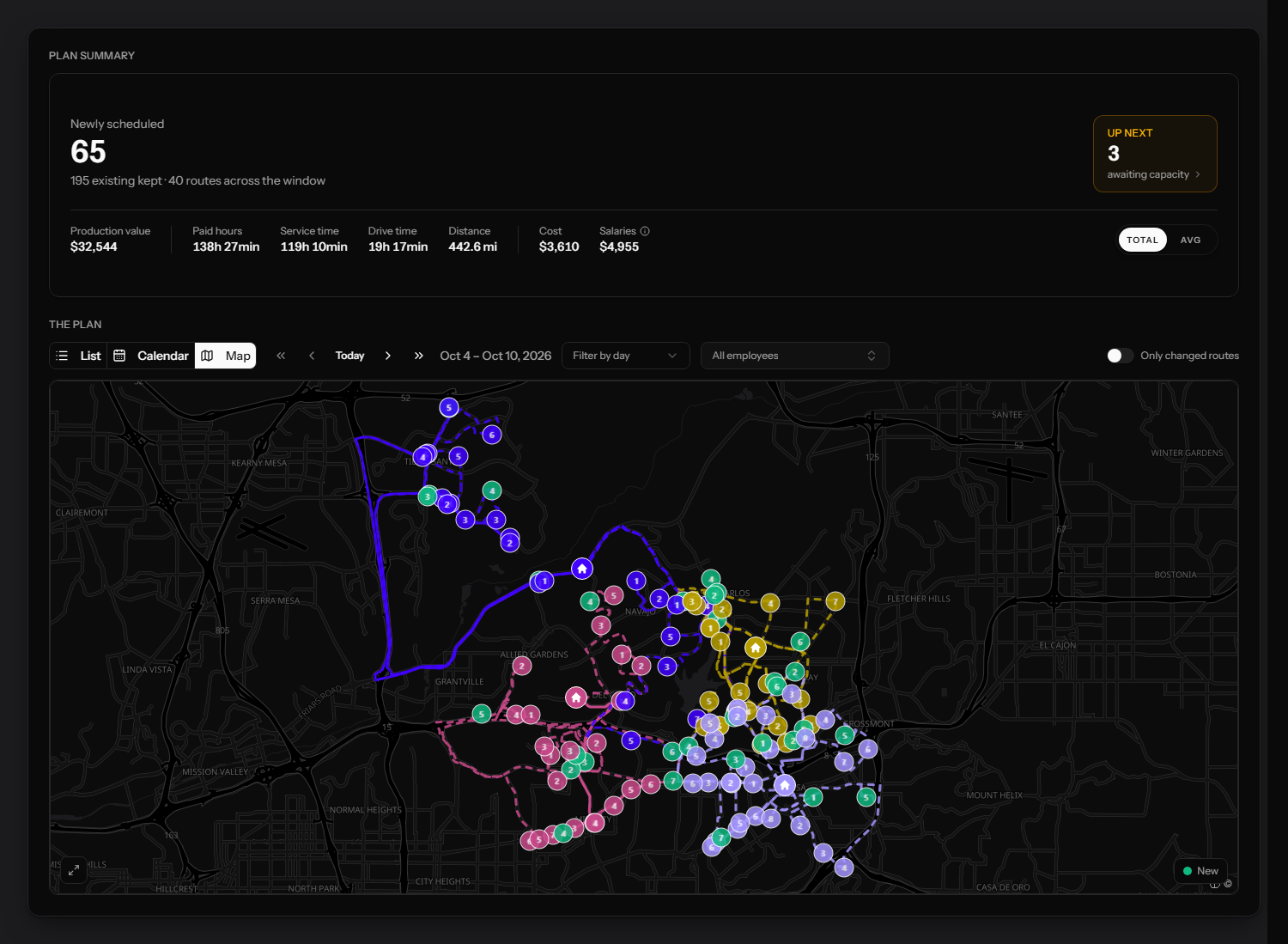
New work placed around the 195 visits already in the book, not instead of them.
The planner never breaks one of these.
If a visit will not fit without breaking a rule, it comes back to you instead, with everything it needed. You decide what gives.
Who may do it
- Required skills and licences
- Preferred technician
- The same technician each visit
- Banned technicians
- Service areas and territories
When it may land
- Preferred weekdays
- Preferred times
- Which weekdays are schedulable
- Visit frequency and its buffer
- Seasonal periods
Who is free to take it
- Working days and hours
- Non-working days and holidays
- Break windows
- Out-and-back time
What a route may hold
- Stops per route
- Target production per route
- Workload balance across the crew
- Pay model and route cost
You stay in control
Plan as far ahead as you like without breaking what you already promised.
Every day in the plan carries a mode. The optimizer moves only what that mode allows.
- Anything may move
- Bookings may move to any day or time, or drop out entirely. This is the mode the saving comes from.
- Stays on its day
- The day a customer was promised holds. Only the hour may shift inside it.
- Stays as booked
- Day and time both stay. New and overdue work is fitted around them, never through them.
- Nothing moves
- The day stays exactly as it stands. Nothing added, nothing removed, no exceptions.
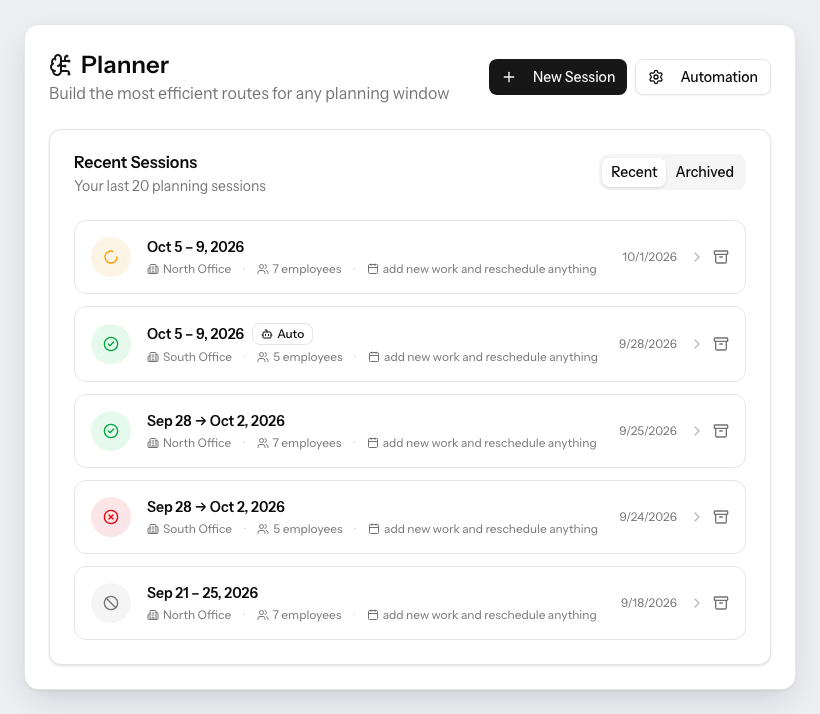
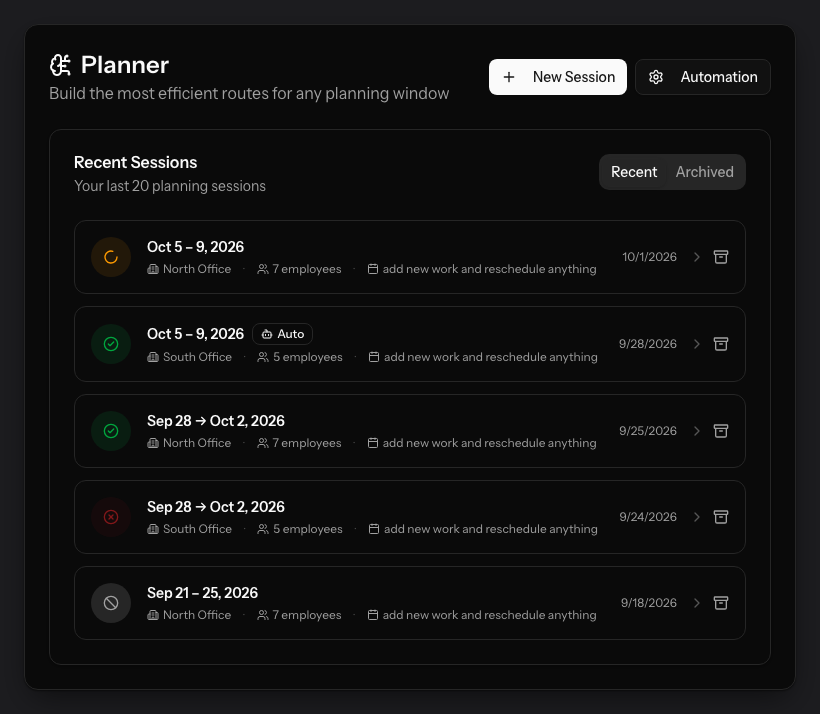
In the planner: “add new work and reschedule anything”
In the planner: “add new work, but keep bookings on their day”
In the planner: “add new work, but keep bookings exactly as they are”
In the planner: “add nothing and move nothing”
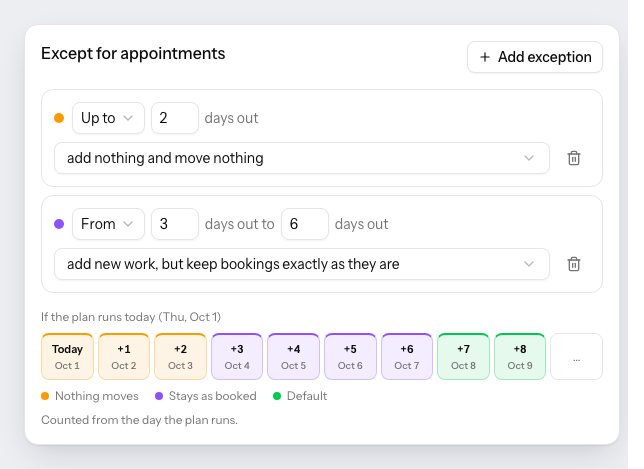
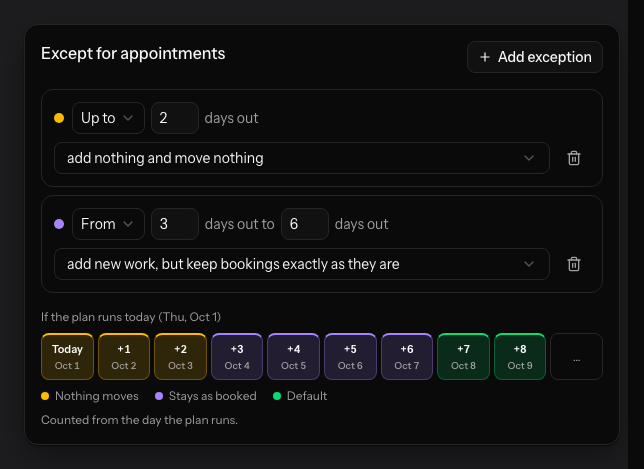
Protect the week you have already sold. Rebuild everything after it.
You set one default for the whole plan, then add exceptions for the days that need them. Days are counted from the day the plan runs, so the protection moves with you instead of expiring on a fixed date.
A common setup: nothing moves for the next two days, bookings stay exactly as they are through day six, and from day seven on the optimizer has the whole route book to work with.
Automated scheduling for pest control
Your office stops solving the puzzle.
You set the cadence once. Automated route planning builds the month, checks it against every rule above, and leaves it one click from FieldRoutes. Nobody sequences a technician by hand again.
- How the month goes now
- Someone blocks out days to build next month
- Each technician is sequenced by hand, in order
- A dropped-in emergency undoes an afternoon of it
- It gets worse every territory you add
- How it goes after
- The month is built before anyone is at a desk
- Every technician solved together, not in turn
- Re-planning is a rule, not an evening
- Another territory is another line in the plan
Pest control route analytics
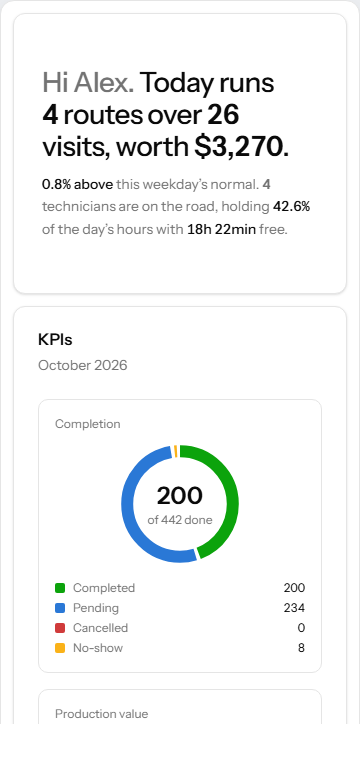
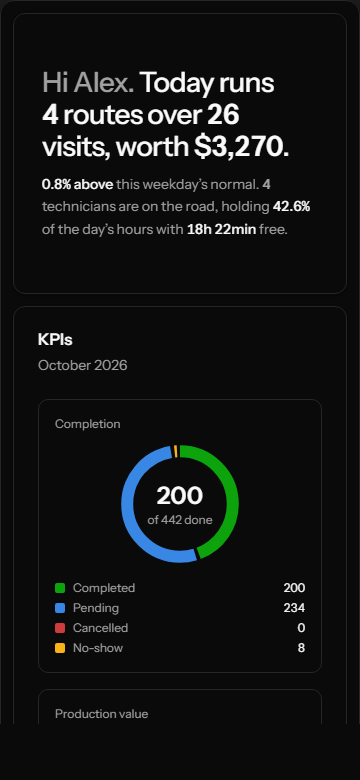
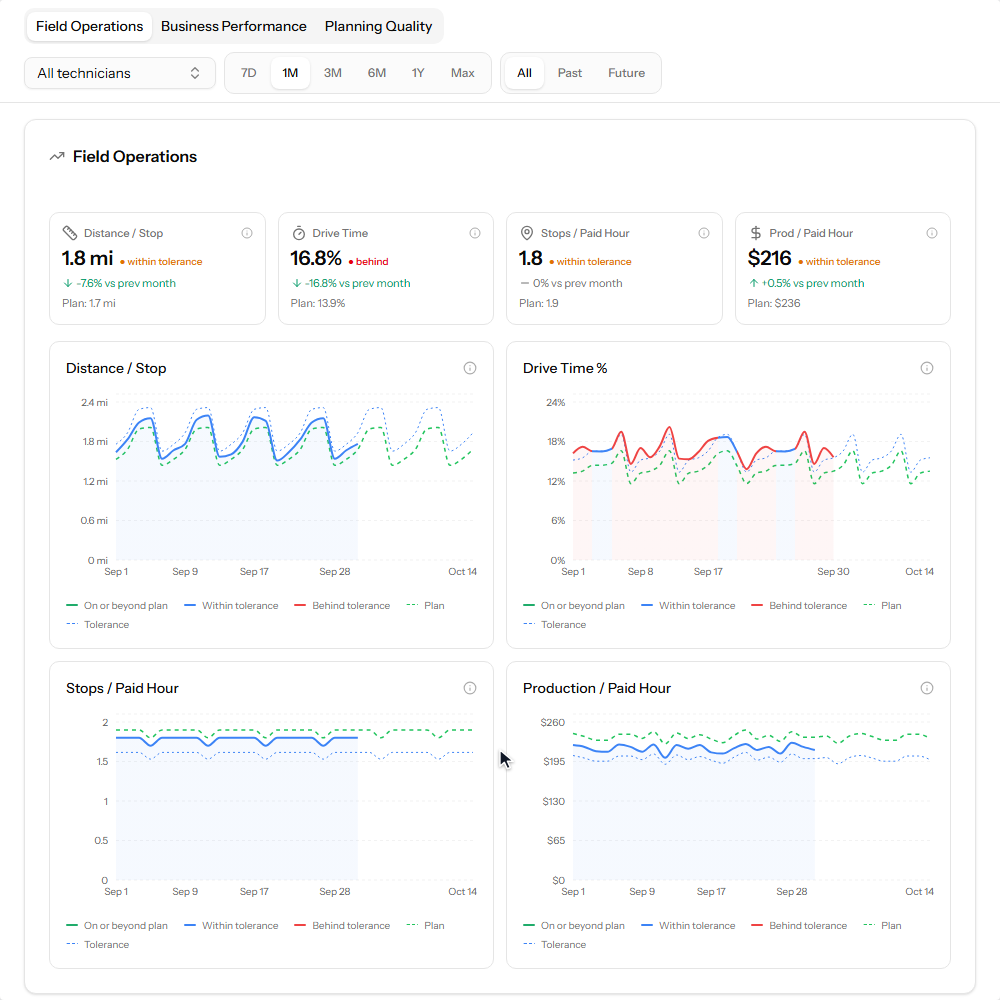
Not another dashboard. Every number beside the plan it was meant to hit.
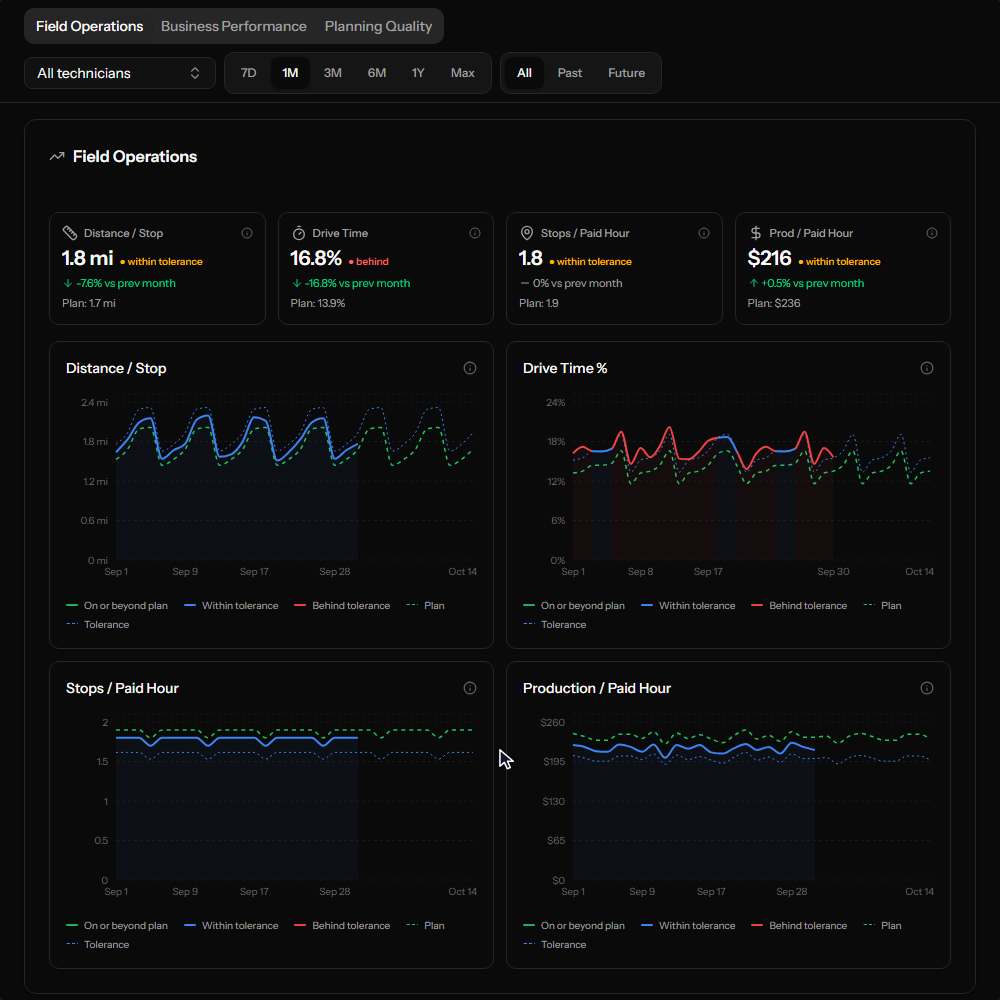
Every figure carries the plan it was supposed to hit and the tolerance it has to stay inside, so a number that is drifting shows up as drifting rather than as a number. Ten weeks of driven routes, read three ways: what the field actually did, what it was worth, and how closely it held the plan. And every visit that did not happen in the last seven days comes back as a line you can act on, naming the customer, the technician, what went wrong and the next step.
- Driven against planned
- Miles, drive time and stops per hour, each beside its plan
- A target, not a trend line
- Adherence, on-time rate and overrun, each with a threshold
- Named, not counted
- Follow-ups arrive as the customer, technician and reason
- A step, not a statistic
- Each line carries what to do about it
Running continuously once you are live, on the same data the audit used.
FieldRoutes route optimization
Tighter territories, or more work per day. You pick which.
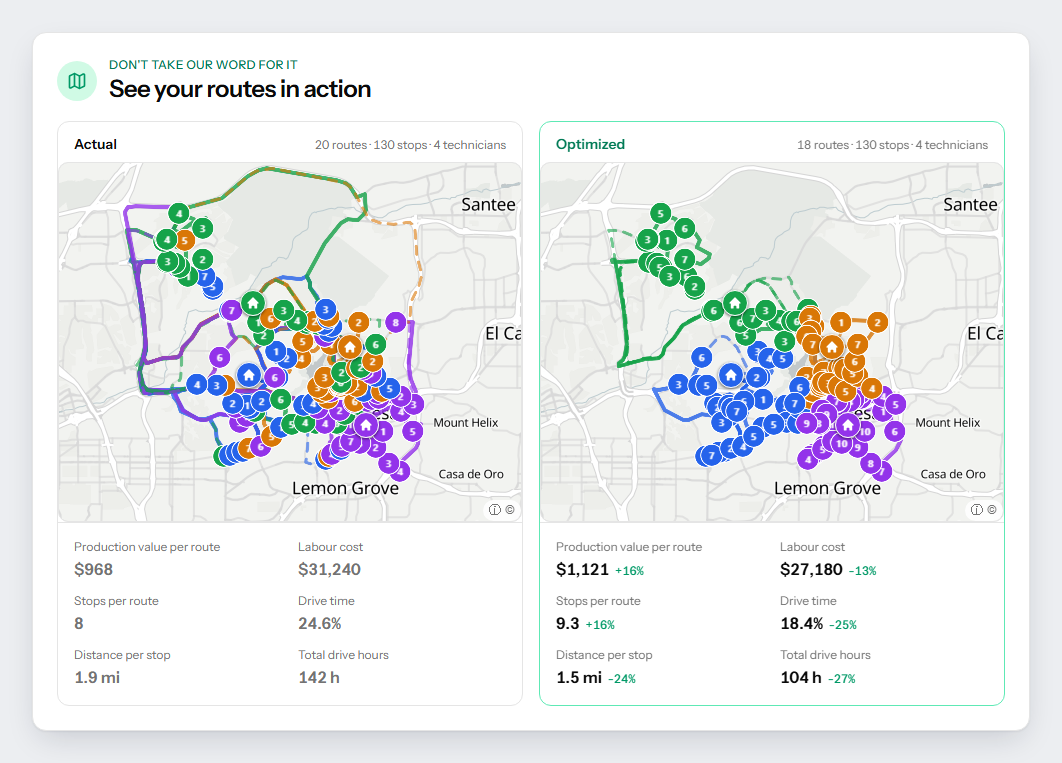
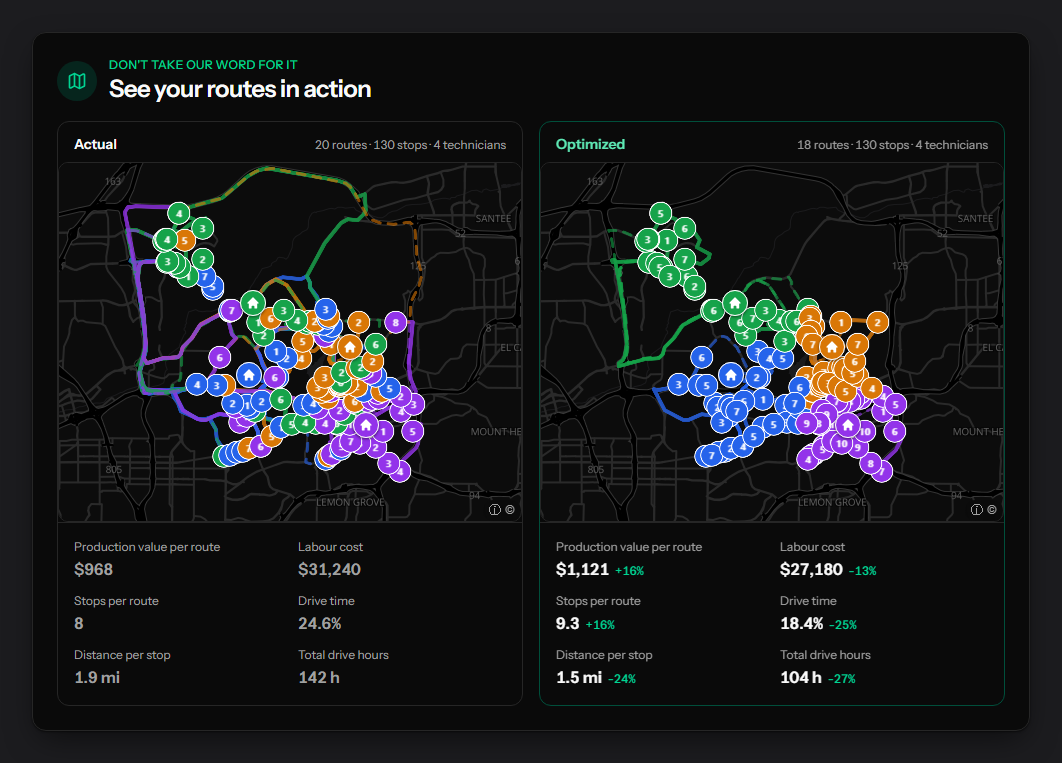
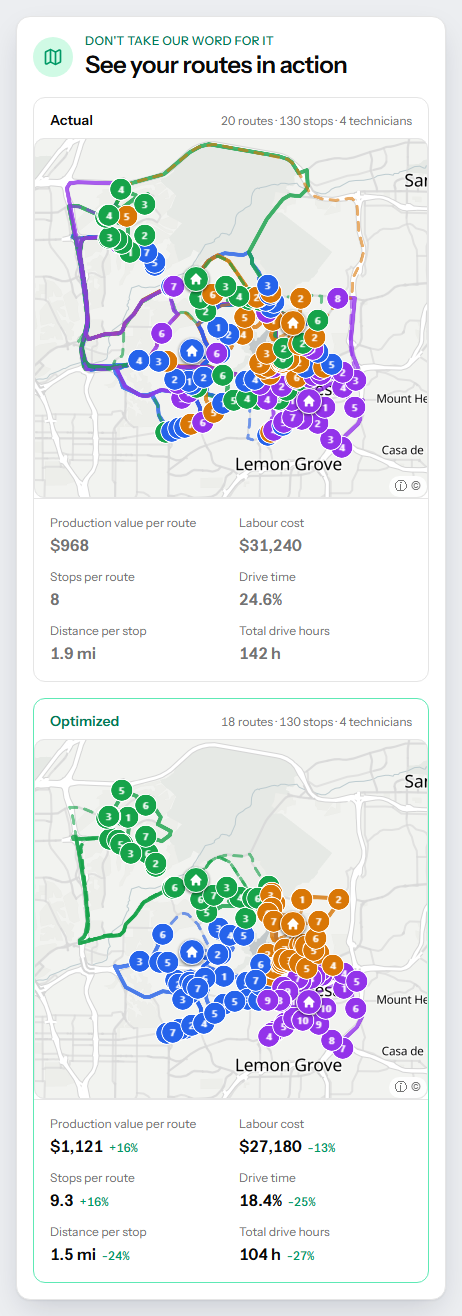
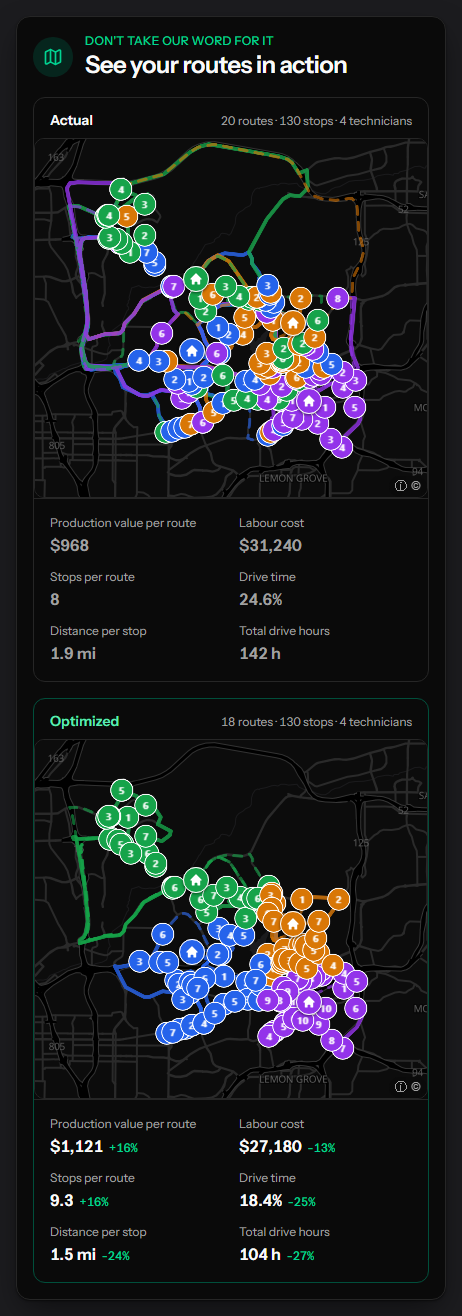
Drive time is decided by structure, not by sequence, which is why reordering a day recovers so little. Route optimization here rebuilds the structure itself. What it optimises for is your call: run the same work on fewer routes and take the hours back, or keep every route open and put more production on each one. It is a setting, not an assumption we make for you.
- Your goal, your setting
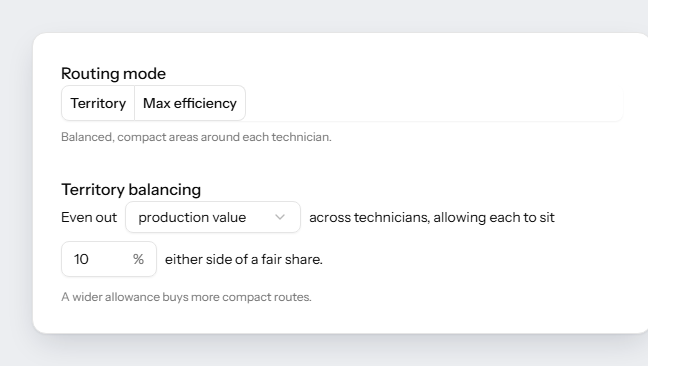
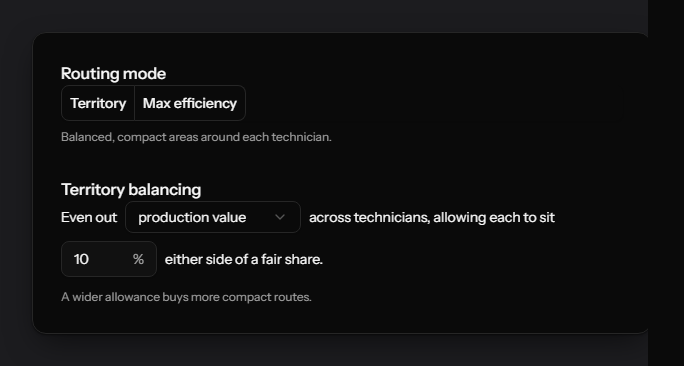
- Compact territories or maximum efficiency, switched per office
- Balanced on what matters to you
- Production value, stops, distance or hours on the road
- Tighter territories either way
- Scattered stops collapse into clusters a tech can finish
- And it holds
- Structure, not a cleanup that drifts back in a quarter
One colour per technician, a whole month on each side. Nothing was dropped to get there: the same 130 visits, two fewer routes, and every remaining route carrying more. Which way it leans is your setting. Take the hours back, or keep every route open and put more production on each.
Route planning scenarios
Answer should I hire before you sign the offer.
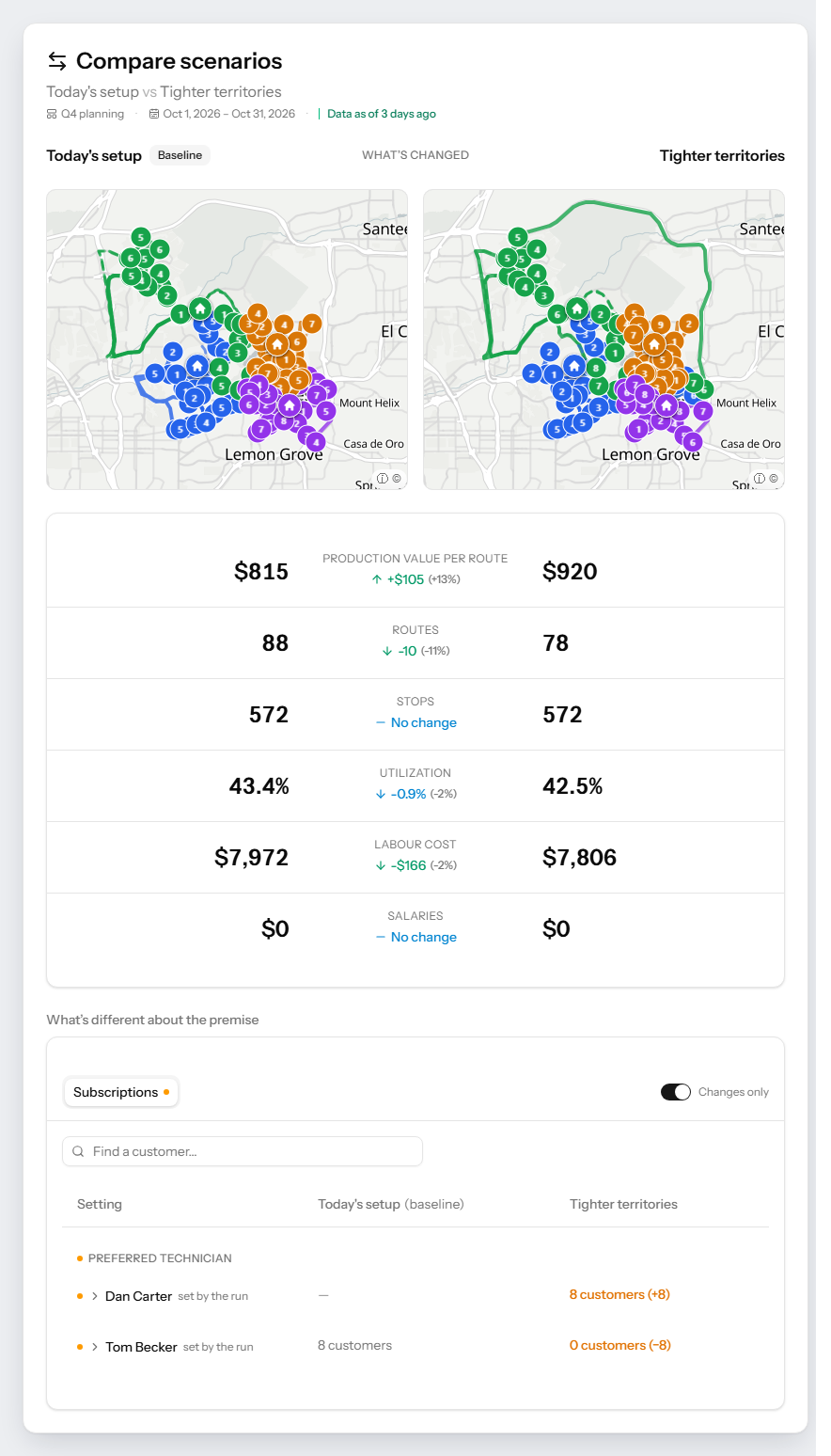
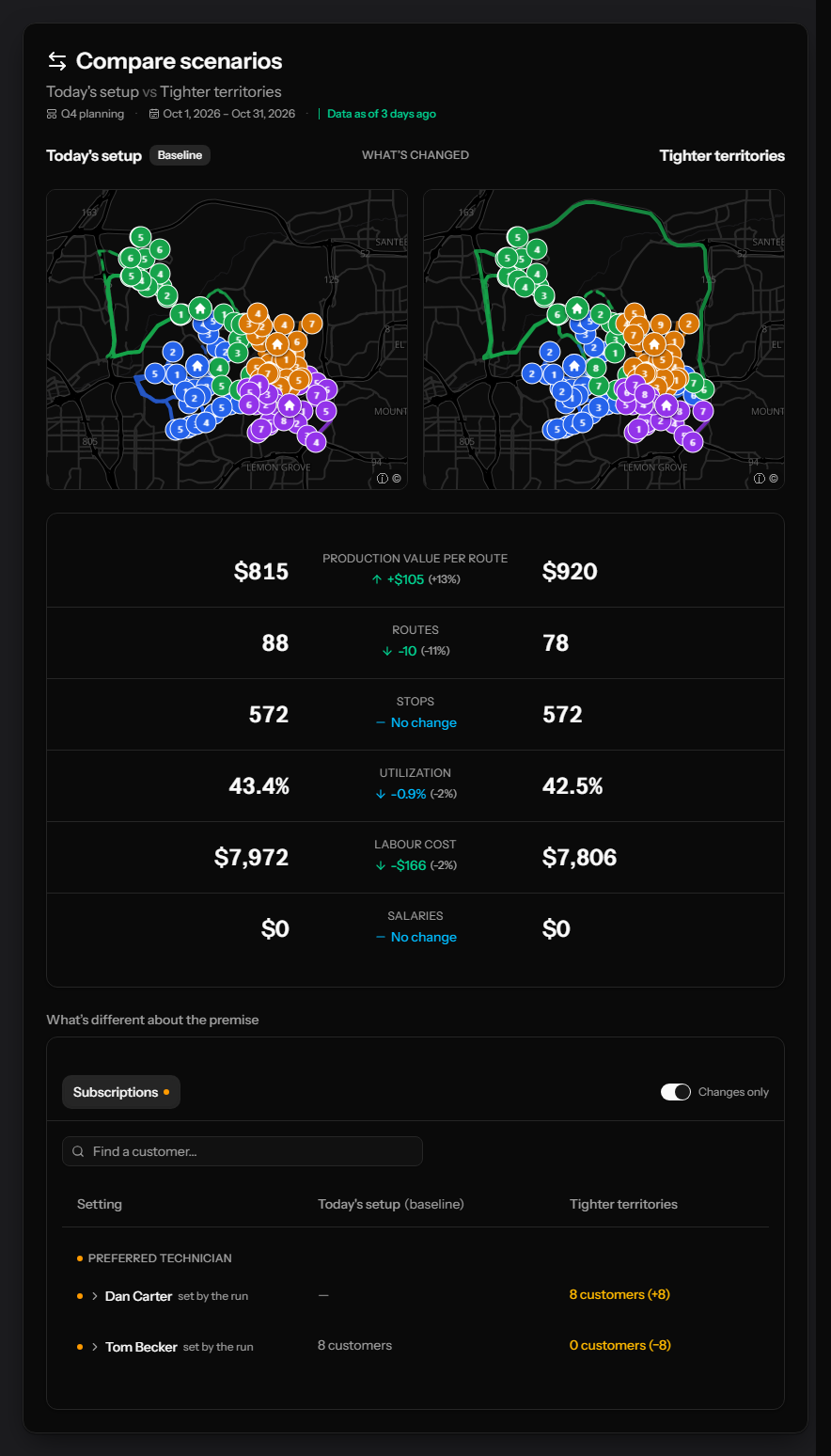
Add a technician, drop a truck, redraw a zone, shift a frequency. PestRouting builds the entire route book under those conditions and sets it beside the plan running today, so the decision comes down to two real operations rather than two opinions.
- Add or remove a tech
- The capacity and the cost, before the offer goes out
- Re-zone a territory
- A redrawn map against the one running today
- Revenue per route
- What each route carries under each scenario
- Routes and cost
- What you stop paying for, visits still covered
One setting moved and the month came back on ten fewer routes with every stop still covered. It goes the other way just as often, and that is the point. The answer is sometimes no, and this is a cheaper place to find that out than a payroll. Scenarios run on your real subscriptions and route history, and nothing you model touches the live plan.
Asked in nearly every first call
You are probably about to ask one of these.
So here they are, in the words operators use, with the answers we give on the call.
- “Will it send two technicians to one house, or is it smart enough to send the one with the licence to both jobs?”
- The one with the licence, as long as one technician holds all of them. Skills and licences are a hard rule, so nobody is sent to work they are not certified for. And Keep nearby visits together, on by default, puts two visits within a minute of each other on one technician’s day whenever one of them may take both. Two services at the same address are the easiest case of it.
- “Can I put my obstacles in and have it work the rest out?”
- That is the whole idea. Territories, preferred and banned technicians, time windows, Saturday cover, vacation, maximum stops, target production. You describe the operation once and the planner solves inside it.
- “Did you press a couple of buttons for this plan, or was it manual work on your end?”
- Buttons. A full month for a few thousand appointments is one run and finishes while you make coffee. On a schedule you set, it runs without anyone pressing anything.
- “What happens when my office drops an emergency into a finished plan?”
- Nothing moves that you did not allow. Days close to today can be frozen or pinned to the exact time, so the visits you have already promised stay put while everything further out is rebuilt around the new work.
- “My technicians have strong opinions about where they will and will not drive. Does that break it?”
- No, it is an input. A technician who stays on one side of the city, a customer who insists on the same face every visit, a route that only carries one service. Each is a condition the plan is built to meet.
- “How do I know it is actually better than what we do now?”
- You see it on your own month before you pay anything. We take a month of routes from your FieldRoutes account, replan it under your rules and set it beside your current plan, route for route.
Got one we have not answered?
Bring it to the call. We will answer it on your own route book.
A 30-minute intro, a written report, and no pitch attached to it.
FieldRoutes integration
Three screens. That is the whole FieldRoutes integration.
Connect, set the cadence, adopt the plan. No exports, no spreadsheets, no re-keying, no IT project.
Connect once
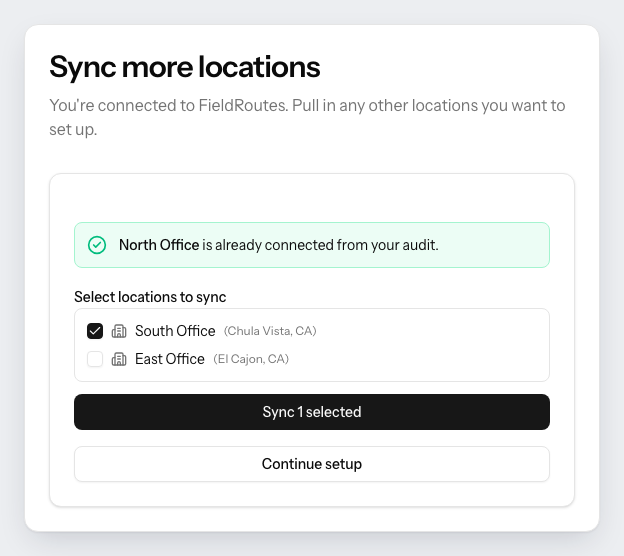
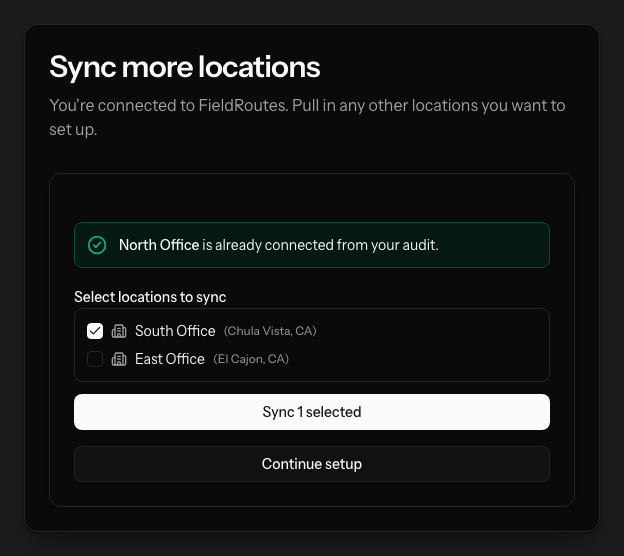
Three credentials from FieldRoutes support, entered one time. Offices you audited are already connected, so you tick the rest.
What it never touches
- Billing & invoices
- Pricing
- Customer records
- Service history
- Payroll
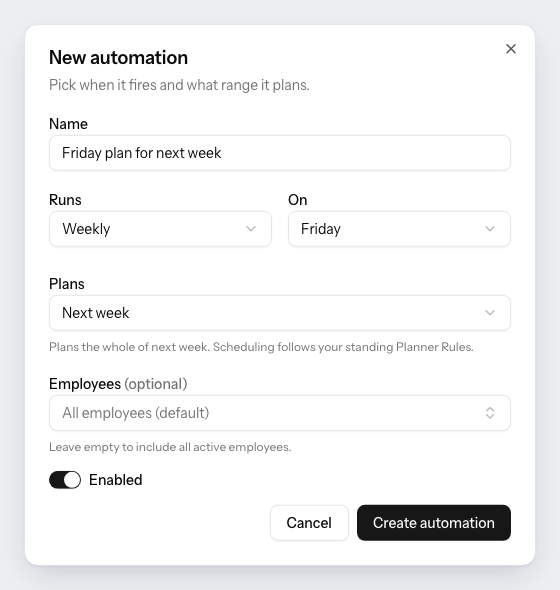
Say when it should plan
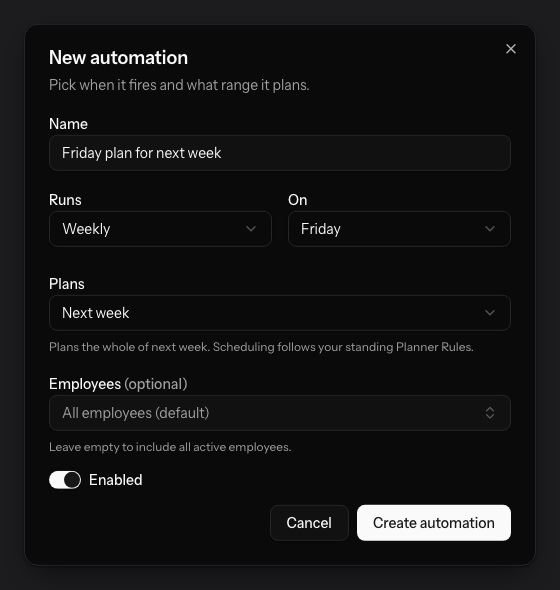
One dialog, filled in once. From then on the plan is waiting for you instead of being a job on your list.
Adopt it, and it is booked into FieldRoutes
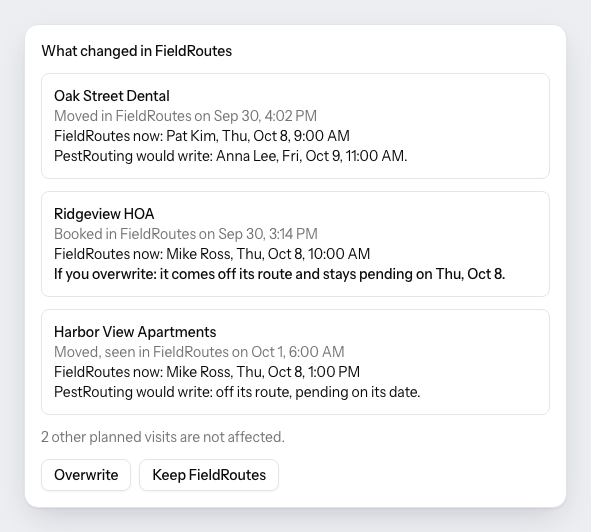
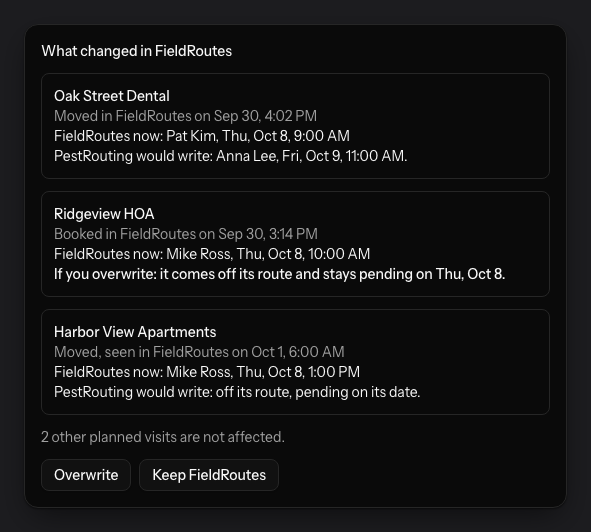
Adopting is the one decision left to a person. PestRouting then books every changed technician day into FieldRoutes itself, reads each day again right before it writes it, and leaves anything your office changed there since for you to decide.
Your audit is read-only from end to end. How we handle your data
See it on your own data
We would rather show you than tell you.
A real audit, played back from start to finish. One month of live FieldRoutes data, replanned with every constraint in place and set next to the original.
- Your month, as it stands
Your own routes, read straight from FieldRoutes
- Labour cost cut
The same visits delivered on fewer routes and fewer miles
- Annualized impact
What the structural monthly saving compounds to over a year
- Revenue per route
More value out of every route your team already runs
- Capacity freed
Paid hours handed back, so you grow without adding a shift
- Actual vs. optimized, visualized
Side by side on the map and the week-by-week calendar
One month out of a real FieldRoutes account, rebuilt and replayed. It is the same walkthrough we run on yours.
Before you ask
Questions FieldRoutes operators ask us
The eight that come up on almost every first call.
- Is there route optimization software that integrates with FieldRoutes?
- That is what PestRouting is. It connects to FieldRoutes over their API, reads the operation you already run there, and plans your routes against it. Nothing is exported, nothing is re-keyed, and FieldRoutes stays your system of record while the route planning moves to software built for it.
- Is PestRouting the same as PestRoutes?
- No. PestRoutes is the former name of FieldRoutes, the field service software many pest control companies run on. PestRouting is a separate, independent product that plans routes for companies on FieldRoutes and writes them back over the FieldRoutes API. It is not made by, affiliated with or endorsed by FieldRoutes or ServiceTitan.
- What should route optimization software for pest control do that generic routing tools do not?
- Hold the rules a pest control operation actually runs on. Licences and skills, so nobody is sent to work they are not certified for. Recurring subscriptions with their own frequency and buffer. Preferred and banned technicians. Territories, Saturday rotations and seasonal pauses. A generic optimizer treats a month of pest control visits as a travelling-salesman problem and breaks every one of those.
- Does FieldRoutes have route optimization?
- FieldRoutes covers scheduling and daily routing, and so does PestRouting. That ground is shared. What no scheduling tool reaches is the layer above it, the territories, frequencies and capacity those days are built on, planned as one system and kept that way automatically. PestRouting builds all three layers on the FieldRoutes data you already have.
- Do I have to replace FieldRoutes?
- No. FieldRoutes stays your system of record for customers, billing and history. What changes is where the plans come from: PestRouting builds them and writes them back, so most teams stop building routes in FieldRoutes by hand entirely.
- How does PestRouting connect to FieldRoutes?
- Over the FieldRoutes API. Request three credentials from FieldRoutes support, the subdomain, the authentication key and the authentication token, and enter them once. No exports, no spreadsheets, nothing to install. From there we read your customers, subscriptions, appointments, technicians, licences, skills, offices and completed route history.
- Does PestRouting change anything inside my FieldRoutes account?
- During the free audit, nothing: that connection only reads. Once you are live, adopting a plan books it into FieldRoutes, so nobody re-keys anything. Nothing reaches FieldRoutes that somebody in your office did not adopt. Right before each technician day is written, PestRouting reads it again, and anything your office changed there since waits for your decision. See how we handle your data
- Will optimizing move appointments my customers already agreed to?
- Only where you allow it. Every day in the plan carries a mode. Anything may move lets the optimizer reschedule freely, Stays on its day keeps the date and re-times within it, Stays as booked holds day and time exactly, and Nothing moves leaves the day untouched. Most operators protect the first week and open everything after it. Commitments stay commitments.
- How long does it take to see results?
- First call within 24 to 48 hours. The written report, built on a month of your own routes and measured against your current plan, is typically ready in about a week. You see your numbers before anything is decided. How we measure every number we publish
- What does it cost?
- It scales with the operation: how many offices and territories you run, and the appointment volume you plan each month. The audit comes first and carries no commitment, so you see what the change is worth on your own numbers first. See what shapes your pricing
- Do you support multiple offices or franchise groups?
- Yes. Routing rules, costs, work calendars and route-health targets are set once at organisation level and inherited by every office. Any office can still override what genuinely differs locally.
One FieldRoutes limit at a time
The things operators actually run into, each answered on its own page: what the product does about it, and where the limit really sits.
Want to see this on your FieldRoutes data?
30-minute intro call. We connect to FieldRoutes read-only, rebuild a real month of your routes, and send a written report back. That's it.
You will have seen your own numbers before anyone asks you for anything.
PestRouting Blog
FieldRoutes tips, route optimization guides, scheduling playbooks, and case studies built for pest control teams that want denser routes and stronger margins.

Pest Control Peak Season: How to Prepare Your Routes Before the Rush
The rush comes early in some years and stays late in others. Settle these in the quiet months: capacity in hours, seasonal calendars, wider buffers and who waits when a week is full.

Route Optimization ROI for Pest Control: A Worked Example
An 8-technician branch, BLS wages, the IRS mileage rate and the published savings bands, worked through line by line, plus the three ways a saved hour actually turns into money.

How to Build Weekly Route Stability in Pest Control
Route stability means the same customers see the same technician on a predictable day, week after week. How to build it in FieldRoutes, cover vacations without breaking it, and measure it.