FieldRoutes · Preferred days
Preferred days, plural, and every one of them kept.
A customer who takes Tuesday or Thursday has handed your office two days to work with. FieldRoutes keeps one of them. PestRouting plans against the whole set as a hard rule, and sends back the appointments that come out of it.
FieldRoutes
Preferred day
- Tue
One day per subscription. Our own write-back refuses a second one by name: “FieldRoutes holds one preferred day.”
PestRouting
Preferred Days
- Tue
- Thu
Every weekday the customer accepts, kept as a hard rule while Respect preferred weekdays is on.
The rule
A set of days, not a single field
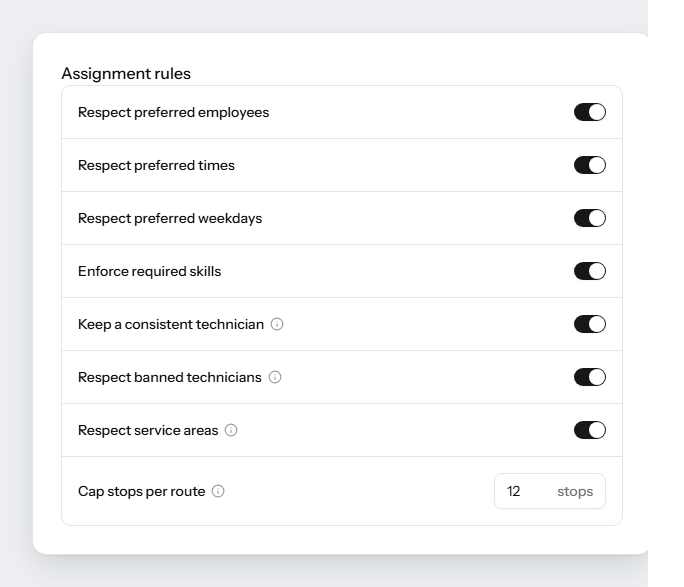
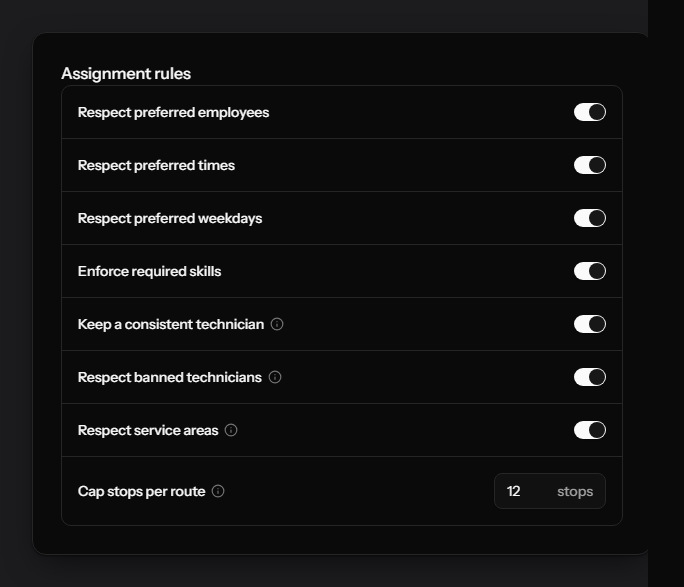
In PestRouting a subscription carries the weekdays the customer accepts, next to the hours they want the visit in, how long it takes, the preferred technician and anyone banned from the property. While the matching switch is on, the planner treats all of it as something it may not break, not as a preference it weighs against a shorter drive.
- Preferred Days holds every weekday that works, for example Tue and Thu
- Respect preferred weekdays makes that set binding for every run
- Respect preferred times does the same for the hours the customer named
- Seven rules in all, set per office and inherited from the organization
The other half
And the work that names no day at all
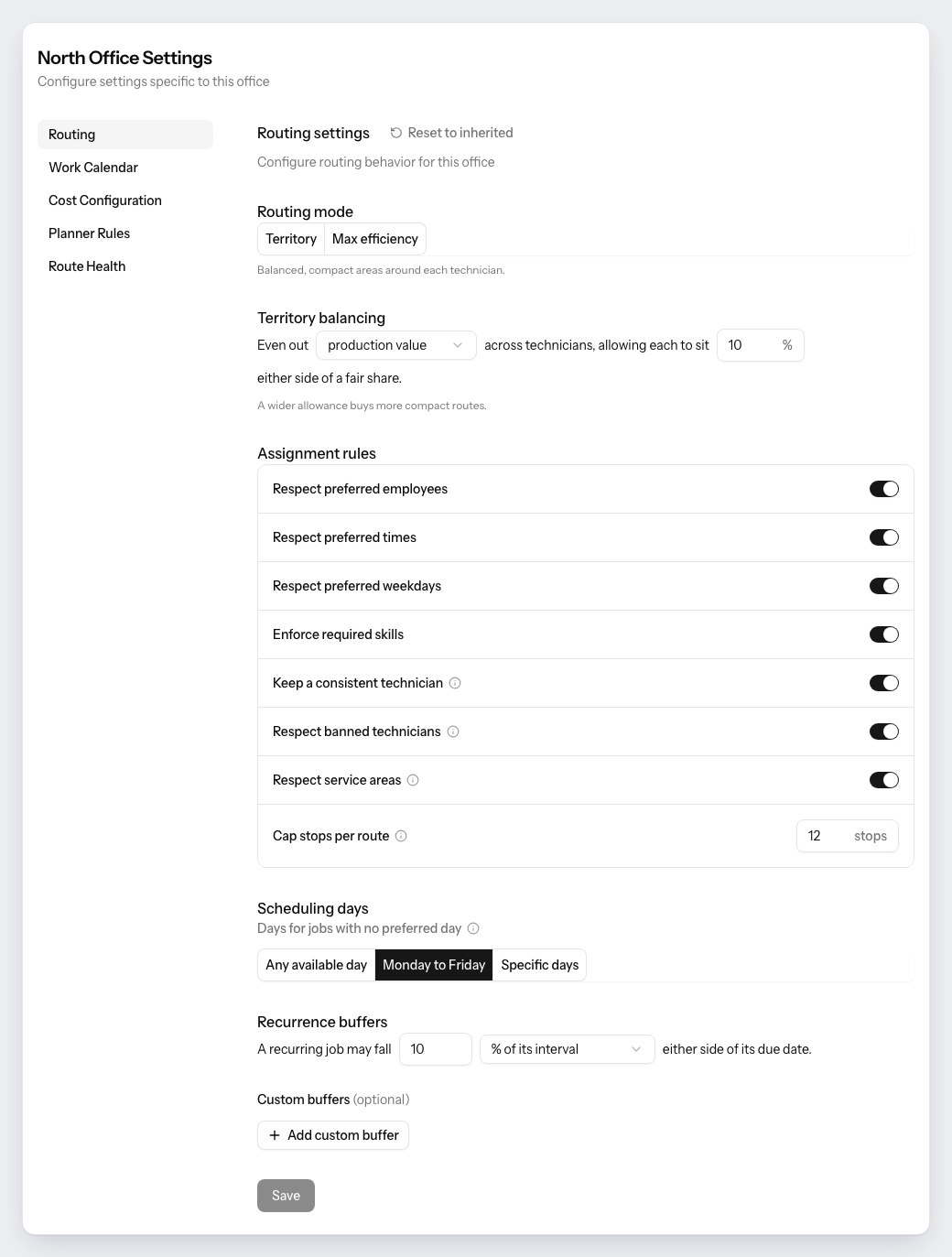
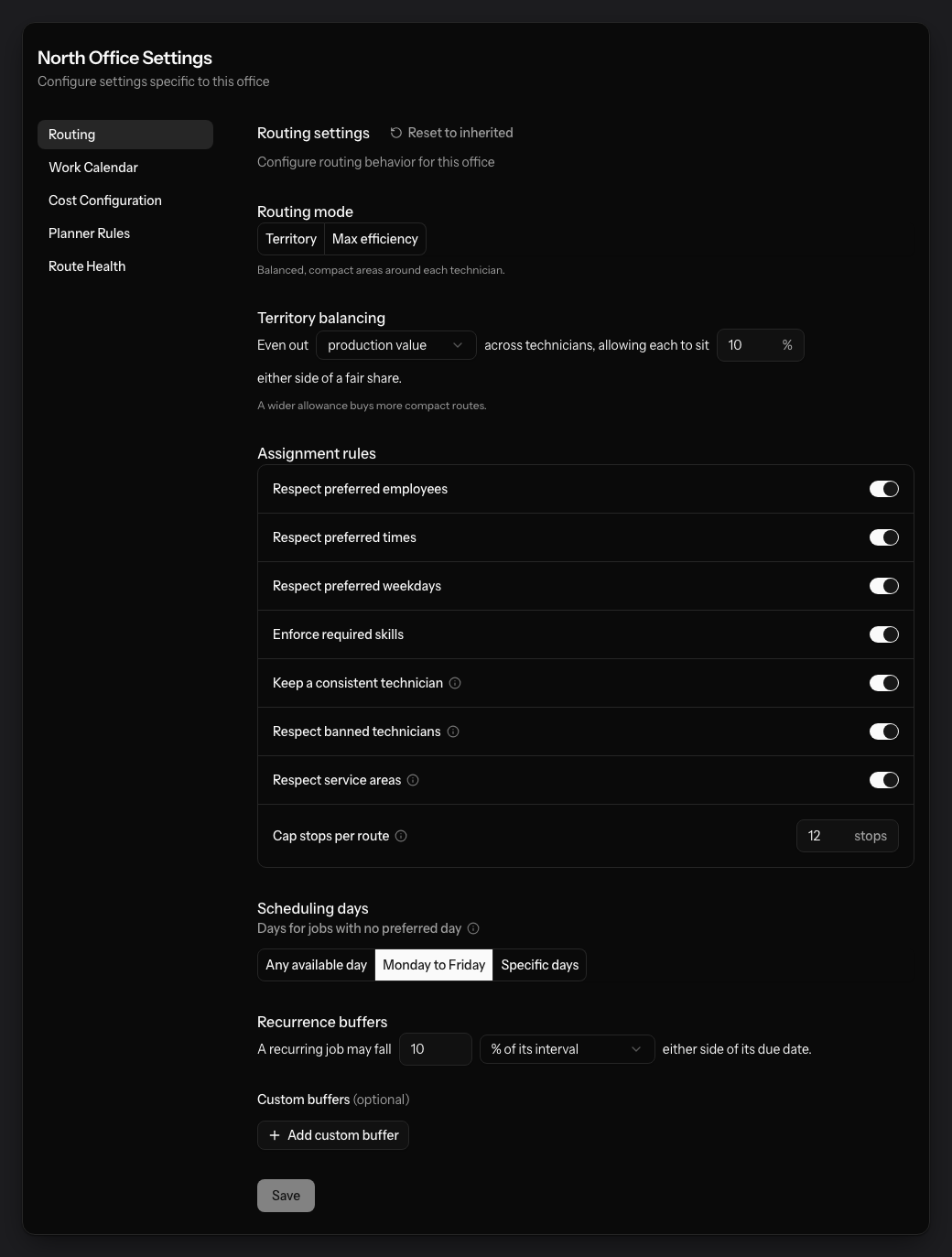
Most subscriptions name no weekday. Scheduling days decides where that work may land: any available day, Monday to Friday, or a set you pick. Every subscription that does name days keeps its own. Set to Monday to Friday, this is what keeps Saturdays for work actually booked on a Saturday, rather than a dummy technician doing that job inside FieldRoutes.
- Days for jobs with no preferred day: any day, Monday to Friday, or specific days
- A recurring visit may fall either side of its due date, 10 % of its interval by default
- Routing mode and territory balancing sit on the same page, per office
- Each office inherits the organization’s values until it sets its own
When it cannot be done
Two days and a four-hour window can be impossible
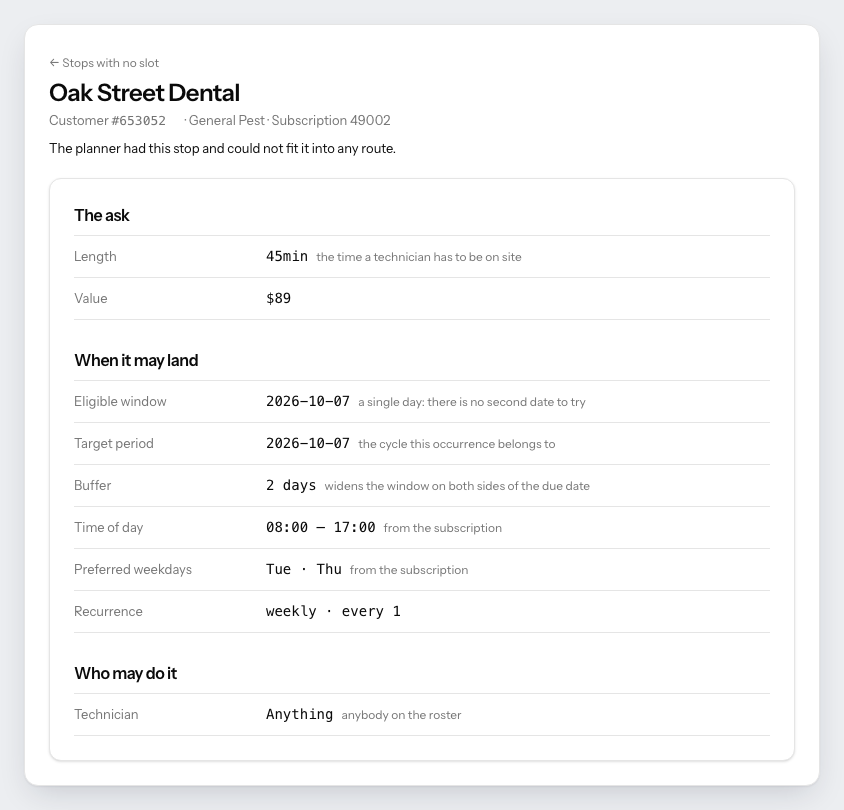
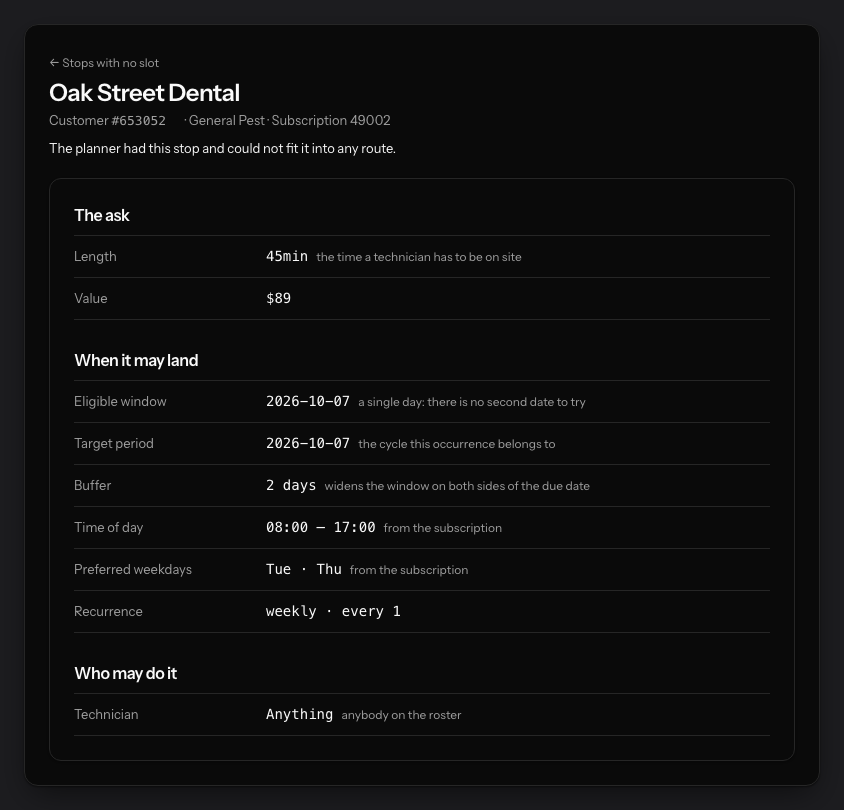
Sometimes a stop cannot be placed at all: none of its preferred days falls inside the range you planned, or nobody allowed to take it works those days. PestRouting does not quietly move the visit to a day the customer refused. The stop lands in Stops without a slot, with the reason in plain words and everything it asked for on its own page.
- The stop names its eligible days, its buffer, its time of day and its preferred weekdays
- It also names which technicians were allowed to take it at all
- A rule to correct, or a range that holds none of the days. Both are a minute of work
- Nothing has reached FieldRoutes at this point
The limit
The rule lives with the planner, not in FieldRoutes
We are not widening somebody else’s field, and we would rather say so here than let you find out in week two. FieldRoutes receives the appointments a plan produced, with their dates, times and technicians, booked the moment somebody adopts it. If an adopted change would write more than one preferred day back, the write-back refuses that single field by name and shows it as refused in the batch. Everything else in the batch still goes.
Recognize this in your route book?
See one real month planned against the days your customers actually accept.
We listen first. Then you decide whether a real audit makes sense.
Before you ask
- Does PestRouting change the preferred day inside FieldRoutes?
- No. A single preferred day is a field FieldRoutes owns, and a set of days has nowhere to go in it. PestRouting holds the set, plans against it, and writes back the appointments that result. An adopted change that would set more than one preferred day is refused on that field, and the write-back batch says so.
- What happens to a customer who accepts any day?
- Their subscription names no weekday, and Scheduling days decides where the work may land: any available day, Monday to Friday, or days you pick. Subscriptions that do name days are untouched by that setting.
- Is a preferred day a hard rule or a preference?
- Hard, while Respect preferred weekdays is on in the office’s routing settings. PestRouting never trades a customer’s day for a shorter drive. If a stop cannot be placed inside its rules, the planner reports it instead of moving it.
- What if the days cannot be served that week?
- The stop goes to Stops without a slot with the reason stated: none of its preferred days falls in the planned range, or nobody allowed to take it works those days. Widen the range, or change the rule. The stop’s own page shows exactly what it asked for.
- How far ahead can I plan with these rules in place?
- One run covers up to 31, 62 or 92 days, depending on your plan. The rules hold for every day of it, so the whole of next month is planned in one go however early you start.
Read on
- How PestRouting works with FieldRoutesThe integration in full: read-only to begin with, every rule on our side, and a plan in FieldRoutes the moment you adopt it.
- What one planning run actually producesA finished route book for a whole window: who drives where, in what order, at what cost.
- Preferred time vs exact time in FieldRoutesWhen a window helps the schedule, and when an exact time is the only honest answer to give a customer.
See it run on your own month.
30-minute intro call. We connect to FieldRoutes read-only, rebuild a real month of your routes with every rule you name in place, and walk you through the result. Nothing is written back.
You will have seen your own numbers before anyone asks you for anything.
From the blog
Latest Working With FieldRoutes articles from the PestRouting blog
Hands-on guides, case studies, and operational deep dives in Working With FieldRoutes.

FieldRoutes Integration with QuickBooks: Keeping Your Books Clean
How the FieldRoutes QuickBooks Online integration works: what it sends, when it syncs, how account mapping decides what reaches your books, and the settings that quietly leave payments out.
Read article
FieldRoutes Route Optimization: What the Optimize Button Can and Cannot Fix
FieldRoutes can order a route and spread recurring work across days. When the result still disappoints, the cause usually sits in the rules and the route book it was given.
Read article
FieldRoutes Skills and Licenses: Matching the Right Technician to Every Job
Skills decide who may take a termite or mosquito job. How FieldRoutes stores them, where they go missing, and how to keep specialist hours for specialist work.
Read articleGet Your Free Route Audit
A 30-minute intro call, a written report on what your routes are leaving on the table, and zero pressure to sign anything. We only follow up if you ask.
Book Your Free Analysis
Free analysis with no obligation
We'll analyze your current routes and show you the savings potential.
First call within 24 to 48 hours
Full analysis and written report typically ready within about a week.
Real people, start to finish
The people who build PestRouting run your audit and walk you through the results.
Risk-Free Opportunity
See exactly how much you could save before spending a dime.